 Spin Wheel
An exit-intent pop-up that gives shoppers a reason to stay
Catch visitors as they head for the door with one last offer, a real coupon they can use now.
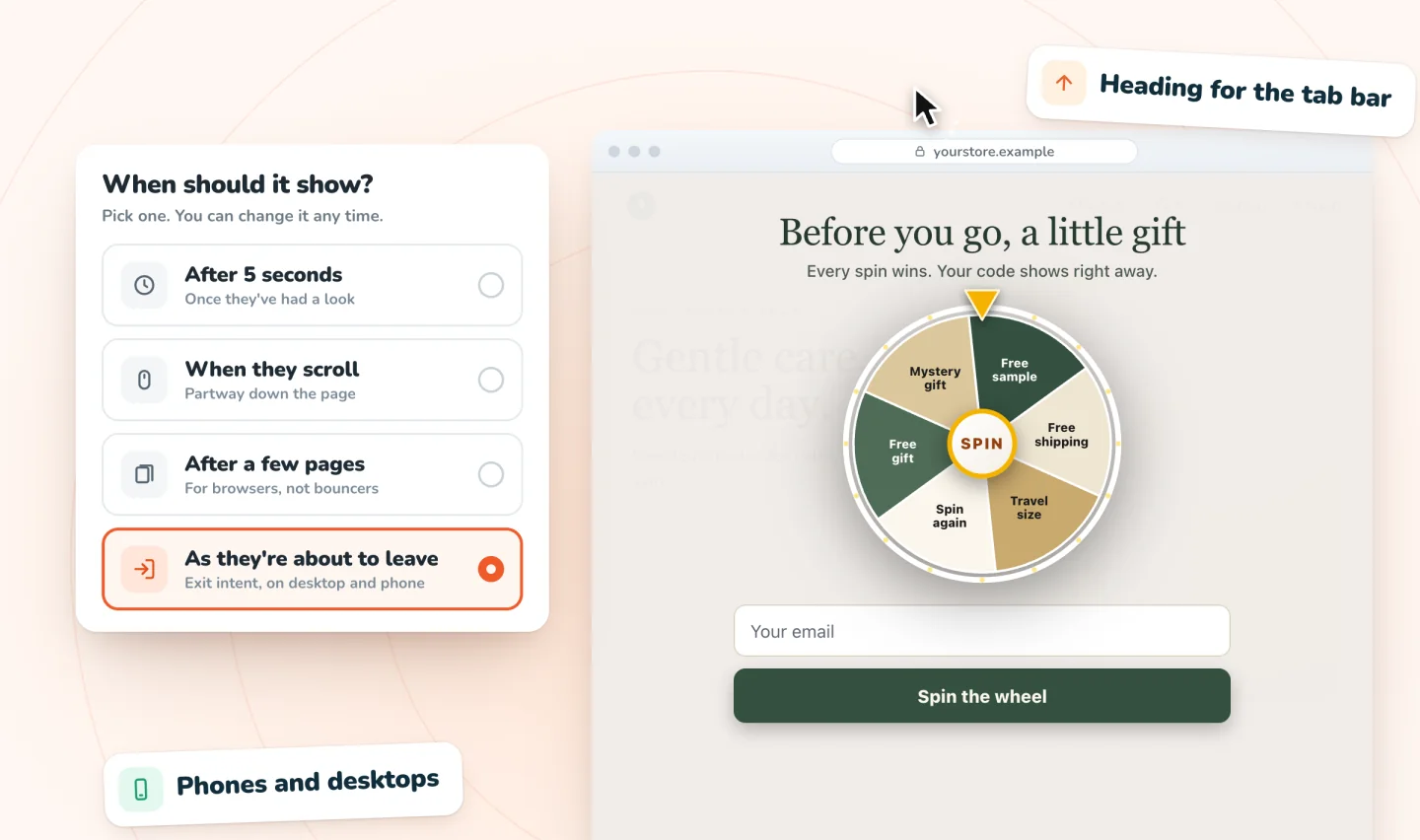
How exit intent works
On a desktop, the pop-up appears when the cursor heads for the browser's tabs or close button. On phones, where there's no cursor, it watches for the signs that a shopper is about to leave. Exit intent works on both.
Other ways to time it
Exit intent is one of four triggers. You can also show the pop-up a few seconds after arrival (five by default), when the shopper scrolls, or after they've viewed a few pages. Pick one per pop-up, and on Pro run several pop-ups for different moments.
What to offer on the way out
An exit offer works best when it answers the reason someone might leave, like free shipping for a shopper put off by delivery costs. Ideas, copy and mistakes to avoid are in exit-intent pop-ups: timing, copy and mistakes. Want to see what visitors do before they leave? Session Recordings, from the same team, replays real visits.
Polite by design
If a shopper closes the pop-up, it doesn't keep jumping back. It waits as a small tab in the corner they can tap if they change their mind.
Guides to go further
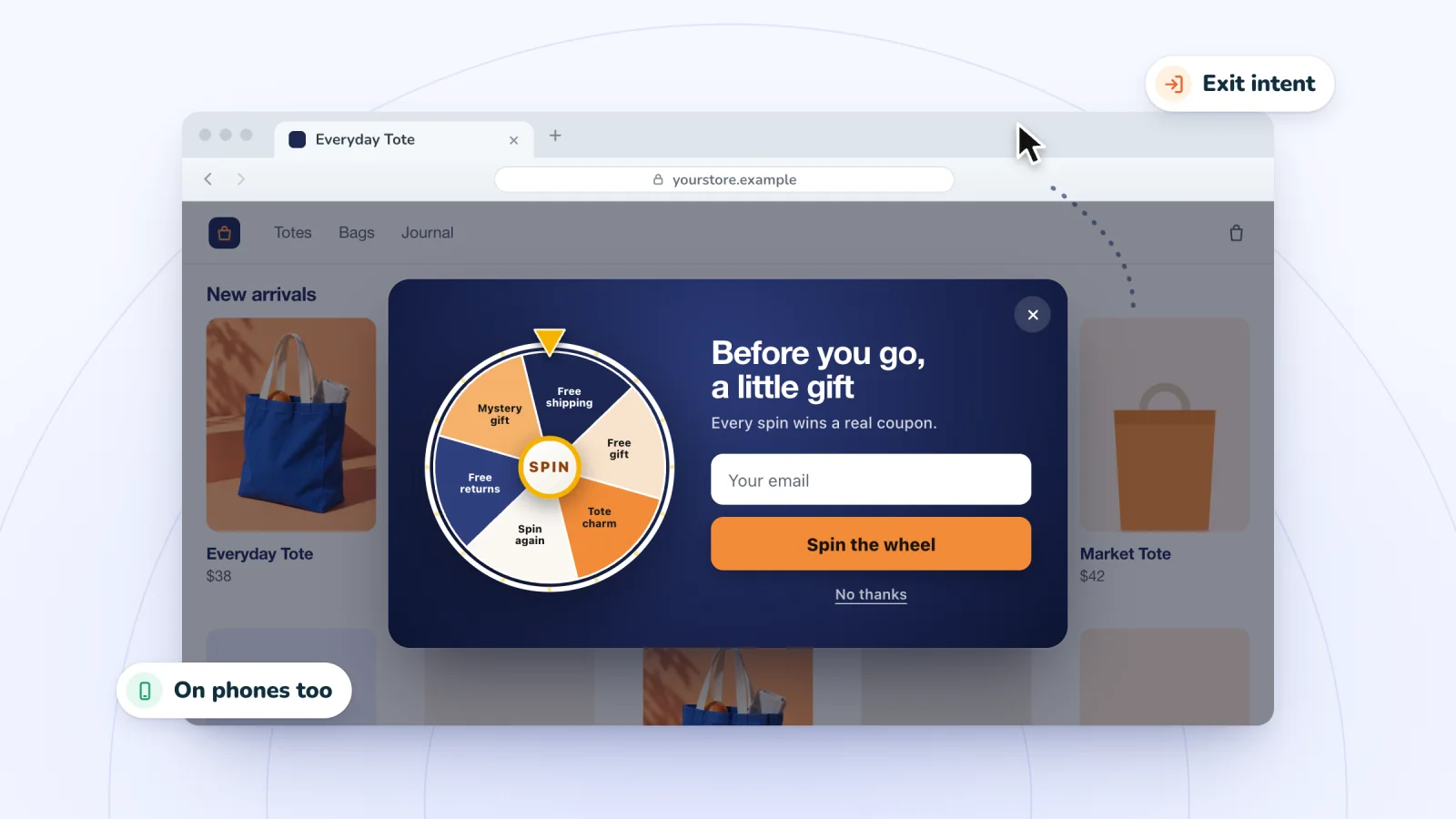
Exit-Intent Pop-ups: Timing, Copy and Mistakes
Exit-intent pop-ups catch shoppers on the way out. How leaving is detected on desktop and phones, offers and copy that fit the moment, and mistakes to skip.
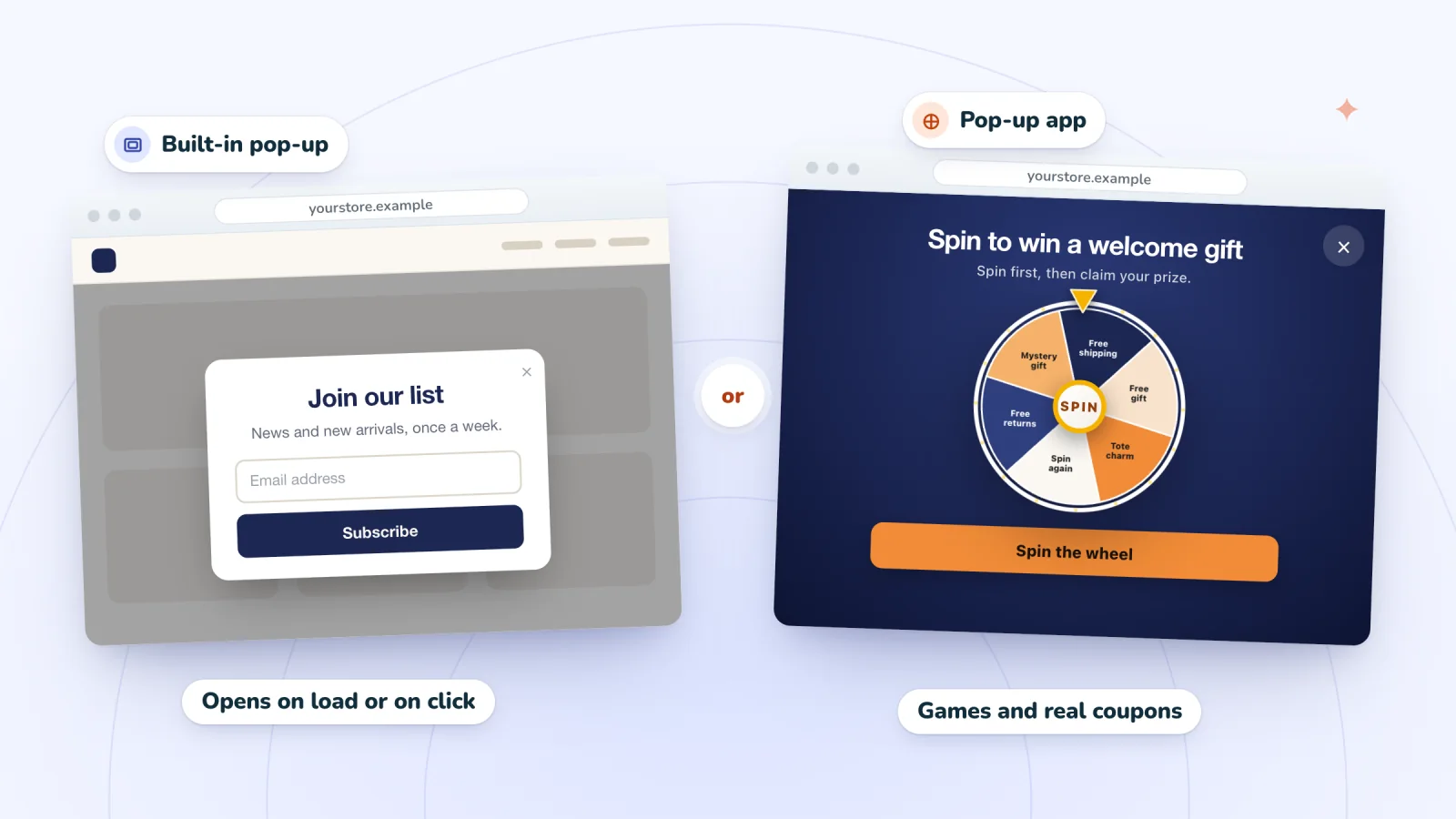
How to Add a Pop-up to a Wix Site: Lightbox or App
Add a pop-up to a Wix site with the built-in tool, once called a lightbox, or an app. Open it on load or on a click, add a form and set it up for phones.
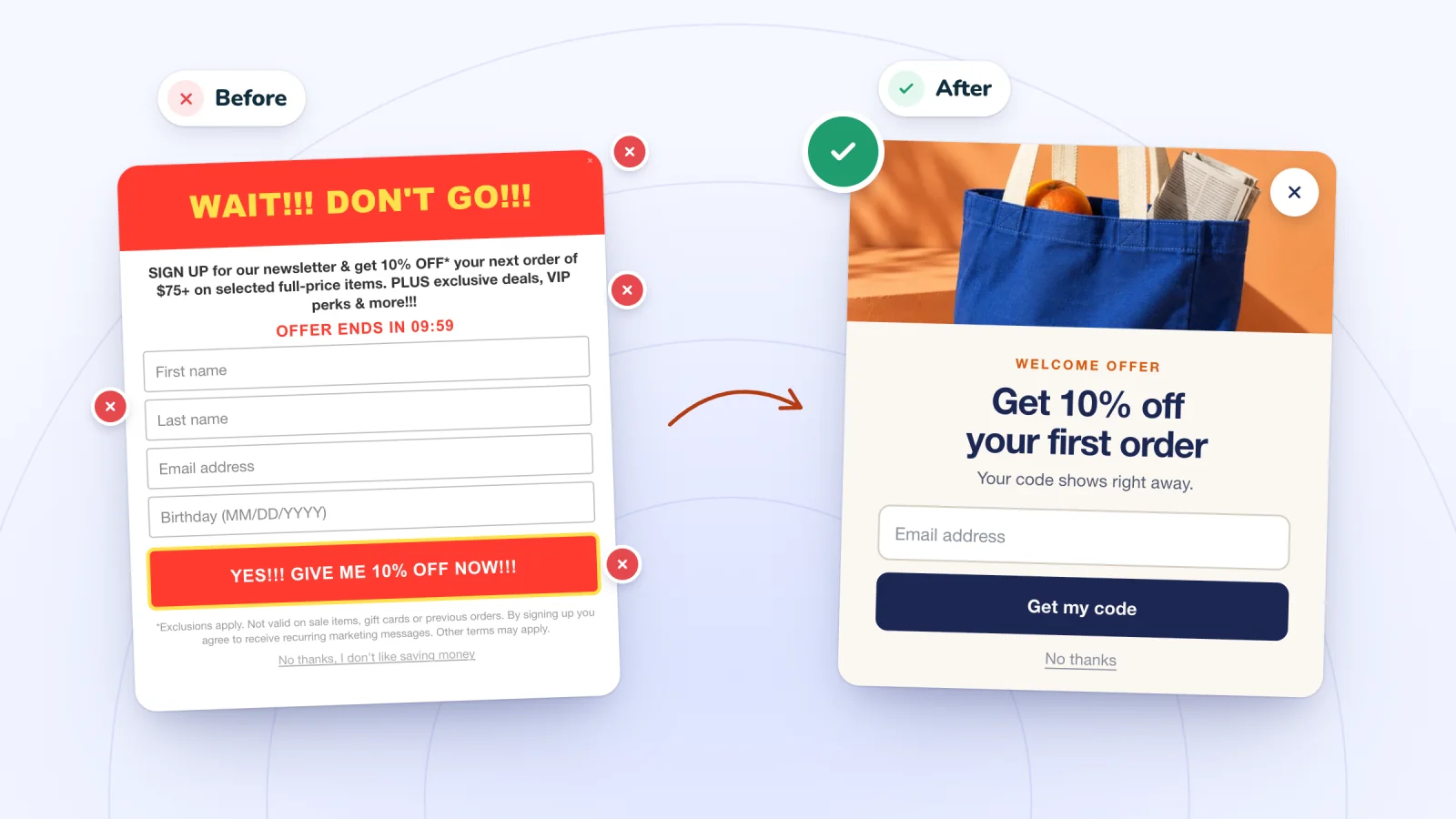
Pop-up Mistakes That Annoy Shoppers (and Fixes)
Eight pop-up mistakes that push shoppers away, from instant pop-ups and tiny close buttons to codes that fail at checkout, with a simple fix for each one.
Frequently asked
Does exit intent work on phones?
Yes, on desktop and phone.
Can I run an exit pop-up and a welcome pop-up together?
Yes, on Pro, which allows unlimited live pop-ups.
Give your next visitor a reason to sign up
Add Spin Wheel, pick a design AI made from your store, and start collecting sign-ups with prizes that work at checkout.