On this page
- Quick checklist
- The promo code link is hidden or hard to see
- The coupon is outside its dates
- The coupon was deactivated
- It reached a usage limit
- The shopper added a space or misread a character
- The cart doesn't qualify
- It applied, but the discount looks too small
- The shopper tried to add a second code
- The discount is bigger than the item
- Wix automatic discount not working?
- For prize codes from a pop-up
- Test a code before you promote it
- Frequently asked questions
- Try it on your store
- Sources
A Wix coupon code is usually refused because the coupon is switched off, today is outside its dates (it ends at the time of day it was created), it has reached a usage limit, or the cart is under its minimum. Less often, the promo code link is hidden, the shopper typed a space, the cart holds nothing the coupon covers, or a second coupon is in play. Wix's troubleshooting article lists five causes, and the rest come from what a coupon covers and how often it can be used.
Work through the checklist with the coupon open under Coupons in your dashboard, then read the section for whichever check fails. An automatic discount that won't apply has its own checks, further down.
Key takeaways
- Open the coupon under Coupons first: a passed end date, a switched-off coupon or a used-up limit each takes one edit to fix.
- A Wix coupon expires at the time of day it was created, so one made at 7:40 PM stops working at 7:40 PM on its end date.
- Codes aren't case sensitive, but an extra space breaks them, so give shoppers a code they can copy and paste.
- A coupon only covers what its Apply to setting names, above any minimum subtotal, and shoppers can use one coupon per order.
- For prize codes that many winners share, leave the total-use limit off and end the pop-up before the coupon ends.
- An automatic discount that won't apply is usually switched off, outside its times, limited to other customers, or short of a minimum that only the discounted items count toward.
Quick checklist
- Can shoppers see the promo code link on the Cart page and Side Cart?
- Is today inside the coupon's dates, counting the time of day?
- Is the coupon active?
- Has it reached a usage limit, total or per customer?
- Did the shopper type a space or a look-alike character?
- Does the cart qualify: above the minimum, with items the coupon covers?
- Is a second coupon involved? Wix allows one per order.
- Is the discount bigger than the item?
The promo code link is hidden or hard to see
Shoppers can enter codes on the Cart page, in the Side Cart and on the Checkout page. Wix keeps the option visible on the Checkout page, but you can hide it on the other two, and a link colored like your background can look hidden.
Fix: In the Wix Editor, click Pages & Menu, choose Store Pages or Cart & Thank You, then select Cart Page or Side Cart. Click the element on the page, click Settings, open the Settings tab and tick Promo code. Then, on the Design tab, use the Links color selector to pick a color that stands out from the background. Do it for both the Cart Page and the Side Cart.
The coupon is outside its dates
A coupon only works between its start and end dates. Wix's example is a "June Sale" coupon active from June 1 to June 30, which nobody can apply on July 1.
The time of day catches people out. Wix expires a coupon at the time it was created, in your time zone, so a coupon made at 7:40 PM with an end date of July 31 stops at 7:40 PM that day. A shopper checking out that evening gets refused even though the date still matches. A start date set in the future fails the same way.
Fix: Go to Coupons, click Filter and choose Expired under Status. Select the coupon, edit the end date and click Save. If the offer really has ended, tell the shopper so instead of quietly extending it.
The coupon was deactivated
A deactivated coupon is refused at checkout. Wix suggests switching a coupon off while another sale runs, which makes it easy to forget to switch it back on.
Fix: In Coupons, click Filter and choose Not active. Click the More Actions icon next to the coupon and select Activate.
It reached a usage limit
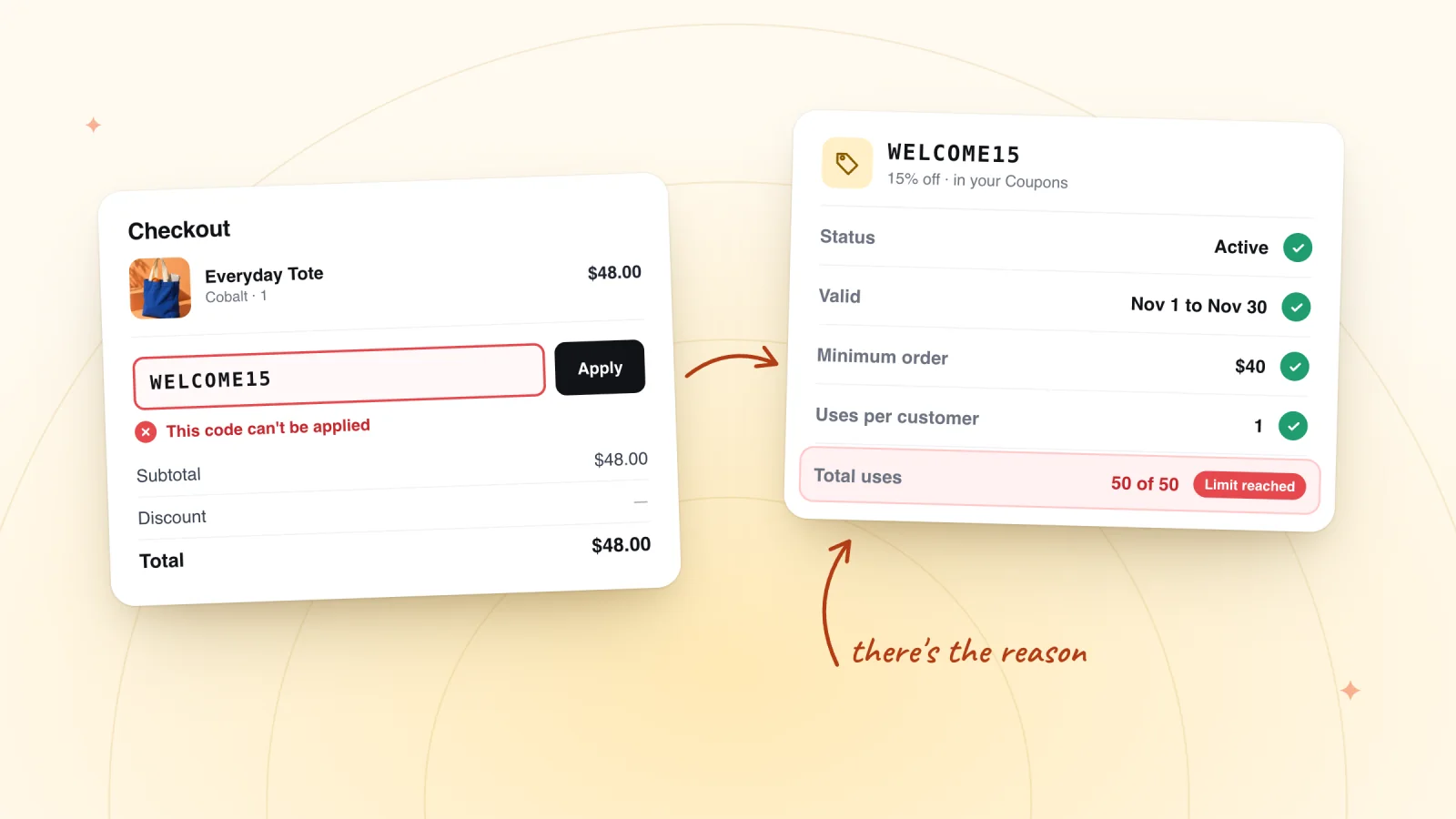
Wix offers two limits. Limit the total number of uses for this coupon caps redemptions across everyone, counting repeat purchases by one customer separately. Limit to one use per customer stops the same customer using it twice.
Two details catch stores out:
- A total limit is a hard stop. A coupon capped at 50 uses refuses the 51st shopper, however recently you shared it.
- Offline payments count late. For orders paid with the manual payment method, Wix updates the count when you mark the order Paid, so the count can lag behind the orders that used the code.
Fix: Open the coupon in Coupons. Untick the limit, or raise the total number of uses, then click Save. If the cap was the point of the offer, such as the first 50 orders, leave it and tell the shopper the offer is gone. Using a per-customer limit to keep a welcome code for newcomers? It can't check order history, as our guide to first-order discounts on Wix explains.
The shopper added a space or misread a character
Codes aren't case sensitive, so SPRING20 and spring20 both work. Spaces are another matter. Wix's example: March Madness fails when the code is MarchMadness. Typed codes also go wrong on look-alike characters, such as a zero read as the letter O.
Fix: Ask the shopper to copy and paste the code exactly as written. For future offers, choose codes without spaces or look-alikes. Our coupon code generator leaves look-alike characters out, and these coupon code name ideas start from words that are easy to read and type. Put a Copy button next to the code wherever you can.
The cart doesn't qualify
A coupon only covers what its Apply to setting names:
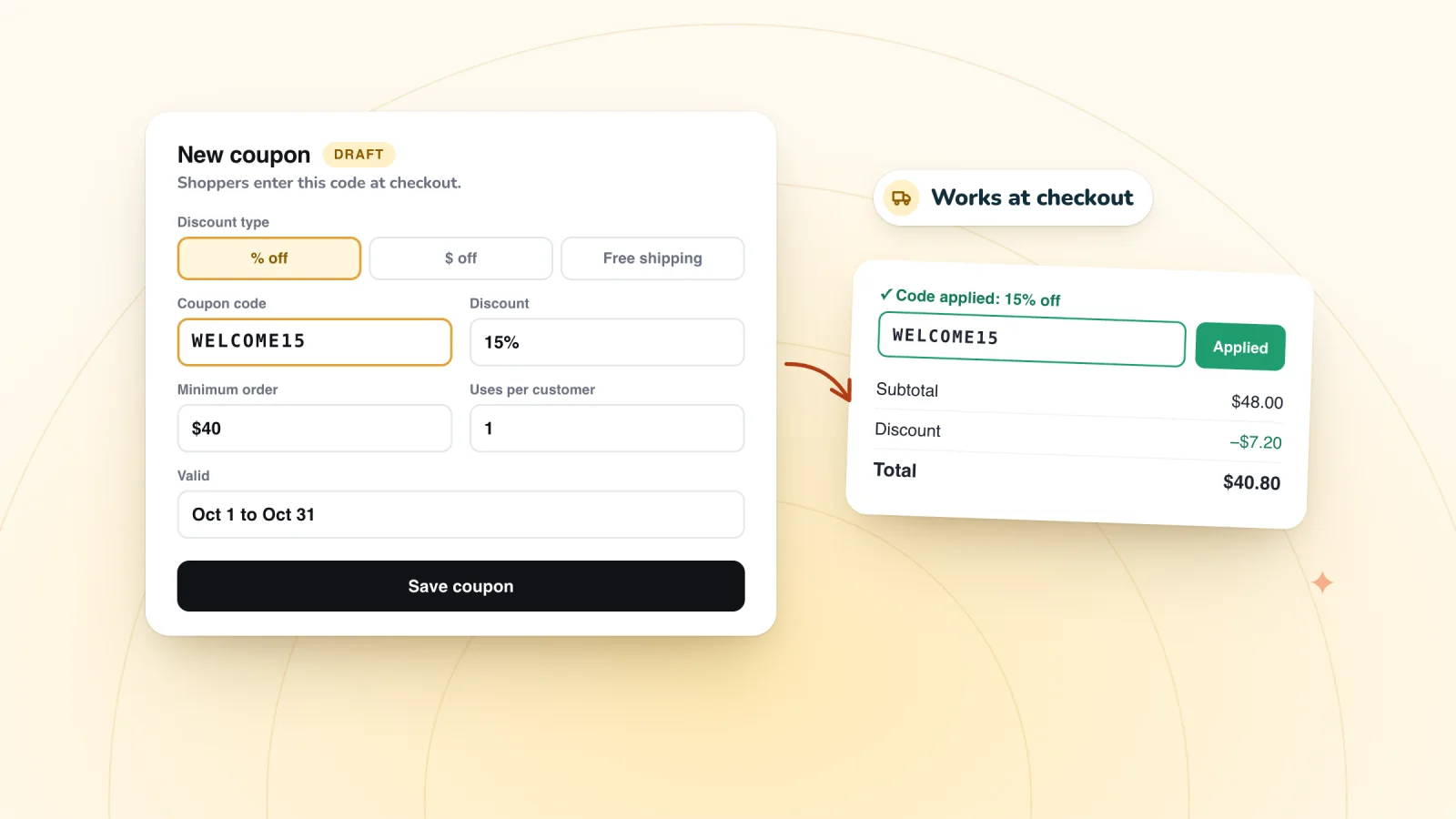
- Minimum order subtotal. A coupon for orders over $40 refuses a $35 cart. Put the minimum in the offer itself, so shoppers know before they reach checkout. A coupon terms and conditions template helps with the wording.
- A specific product or category. The code does nothing unless the cart holds a covered item. Wix suggests a hidden category for a group of products, so check the right products are in it.
- Another part of your business. The Apply to options differ between Wix Stores, Wix Bookings and other business solutions. On a site that sells both, check the coupon covers store products, not just services or tickets.
- Subscriptions. Coupons skip subscription products unless you tick Include subscriptions when you create the coupon.
Fix: Edit Apply to, or tell the shopper what the offer covers. Every field in the coupon form is explained in our guide to setting up a coupon in Wix Stores.
Hand out codes that work at checkout
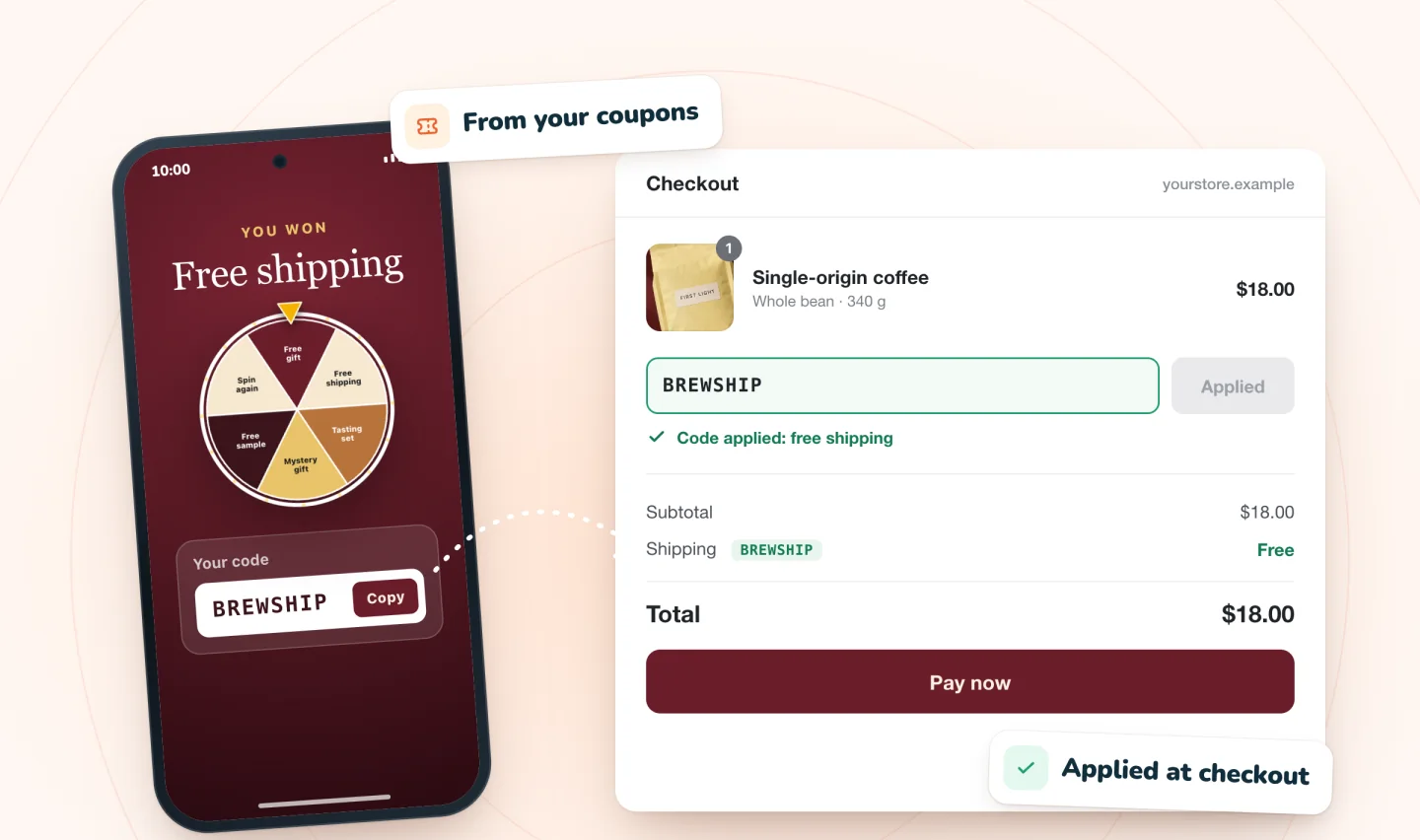
Every prize is one of your store's coupons. Winners see the code on screen, one tap copies it, and winners who gave an email get a backup copy.
Add to site, it's free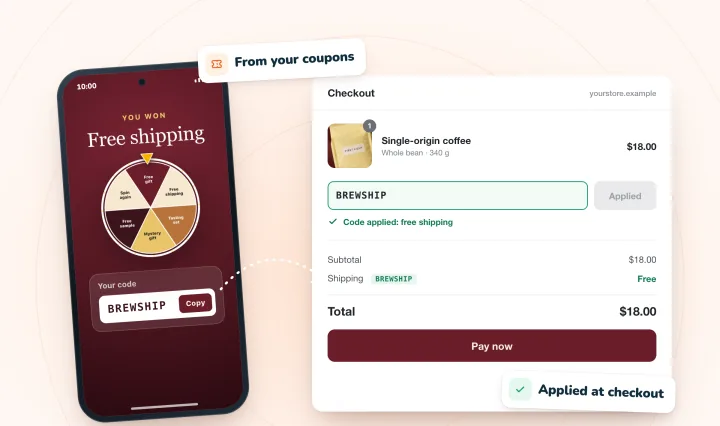
It applied, but the discount looks too small
A $ Discount or % Discount coupon set to Apply once per order discounts only the lowest-priced eligible item. Apply to each eligible item in the order discounts them all.
Here's the difference with a 20% coupon and a cart of a $30 item and a $12 item. Once per order takes off 20% of $12, which is $2.40. Each eligible item takes off 20% of $42, which is $8.40. A shopper expecting $8.40 reads $2.40 as a broken code.
Fix: Edit the coupon and choose the option that matches what you advertised. This choice isn't offered on coupons that use a minimum order subtotal.
The shopper tried to add a second code
Wix's help center says customers can't currently apply more than one coupon at a time. A shopper with a welcome code and a free shipping code has to choose one.
Fix: Wix's suggested workaround is a shipping rule with free shipping above a set amount, which works alongside a coupon. Our guide to setting a free shipping threshold shows how. Automatic discounts are separate: Wix says a customer can get a coupon and an automatic discount on the same order.
The discount is bigger than the item
Wix answers this in two places. Its coupon FAQ says a $10 coupon applied to an $8 product makes the item free, though shipping still applies. Its checkout troubleshooting says a coupon or discount that takes a product's price below zero can stop the customer checking out. Either way, you're giving away stock you meant to sell.
Fix: Apply dollar-off coupons only to items that cost more than the discount, or add a minimum order subtotal above it. Wix's tip is to use a percentage coupon, such as 20% off, instead of a dollar amount.
Wix automatic discount not working?
An automatic discount that won't apply is usually switched off, outside its dates and times, limited to customers the shopper isn't one of, or short of a minimum that only the discounted items count toward. Wix always shows a working automatic discount in the cart and at checkout, so check the cart before anything else.
- It's off or outside its hours. Each discount has its own toggle in Automatic Discounts, a start, an optional end and an optional recurring schedule, all in your dashboard's time zone.
- The shopper isn't covered. A discount for specific segments, members or contacts with a label skips everyone else. Wix's article doesn't say how it recognizes a shopper who isn't logged in, so test as a customer the discount covers.
- The minimum only counts covered items. In Wix's example, a discount on vases with a $100 minimum needs $100 of vases, and other products in the cart don't count toward it.
- The product page shows only its name. When a product's options are priced differently, or the discount has a minimum, Wix shows the sale's name on product pages and galleries instead of a discounted price. The price drops in the cart.
- It's meant for one variant. Wix can't limit a coupon or an automatic discount to one variant, such as the silver version of a ring. Its workaround is to sell that variant as a separate product.
- Two discounts cover the same item. Only one automatic discount applies to each item. Wix aims to give the customer the best one and suggests not setting two on the same items.
- The customer is in your loyalty program. Wix can't apply a discount automatically to loyalty program members yet; it's a feature request.
- It's a subscription product. Wix's pages disagree: its discounts overview says automatic discounts can't be applied to product subscriptions, its automatic discount FAQ says they can, and its feature request now points to the Product Subscription Discounts app. Test a subscription in your own cart.
- The order didn't go through your site's checkout. Orders checked out on a sales channel such as Amazon or eBay get no automatic discount, and nor do sales on Wix's Desktop POS or POS Go. For an order you create by hand, add the discount in the order's Add Discount step.
Fix: Go to Catalog, then Discounts, then Automatic Discounts. Check the discount's toggle, its dates and times, the items it applies to and which customers it's for. Then add a qualifying item to your cart as a customer the discount covers, and look for it there.
An automatic discount and a coupon are separate price reductions, so a shopper can get both on one order. During a sale, a prize code stacks on top of the sale price, and the holiday guide shows how to keep prize codes off discounted items.
For prize codes from a pop-up
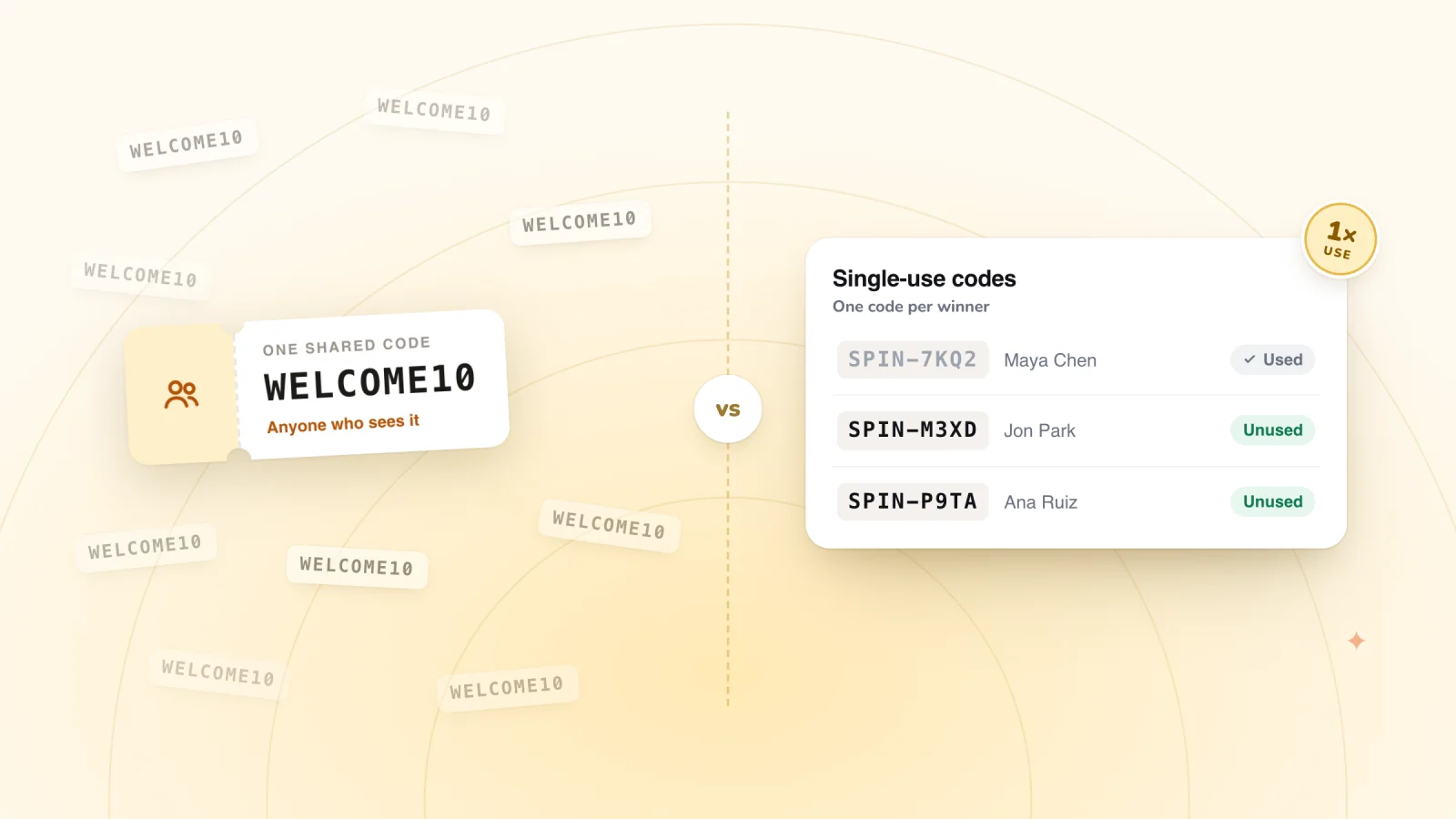
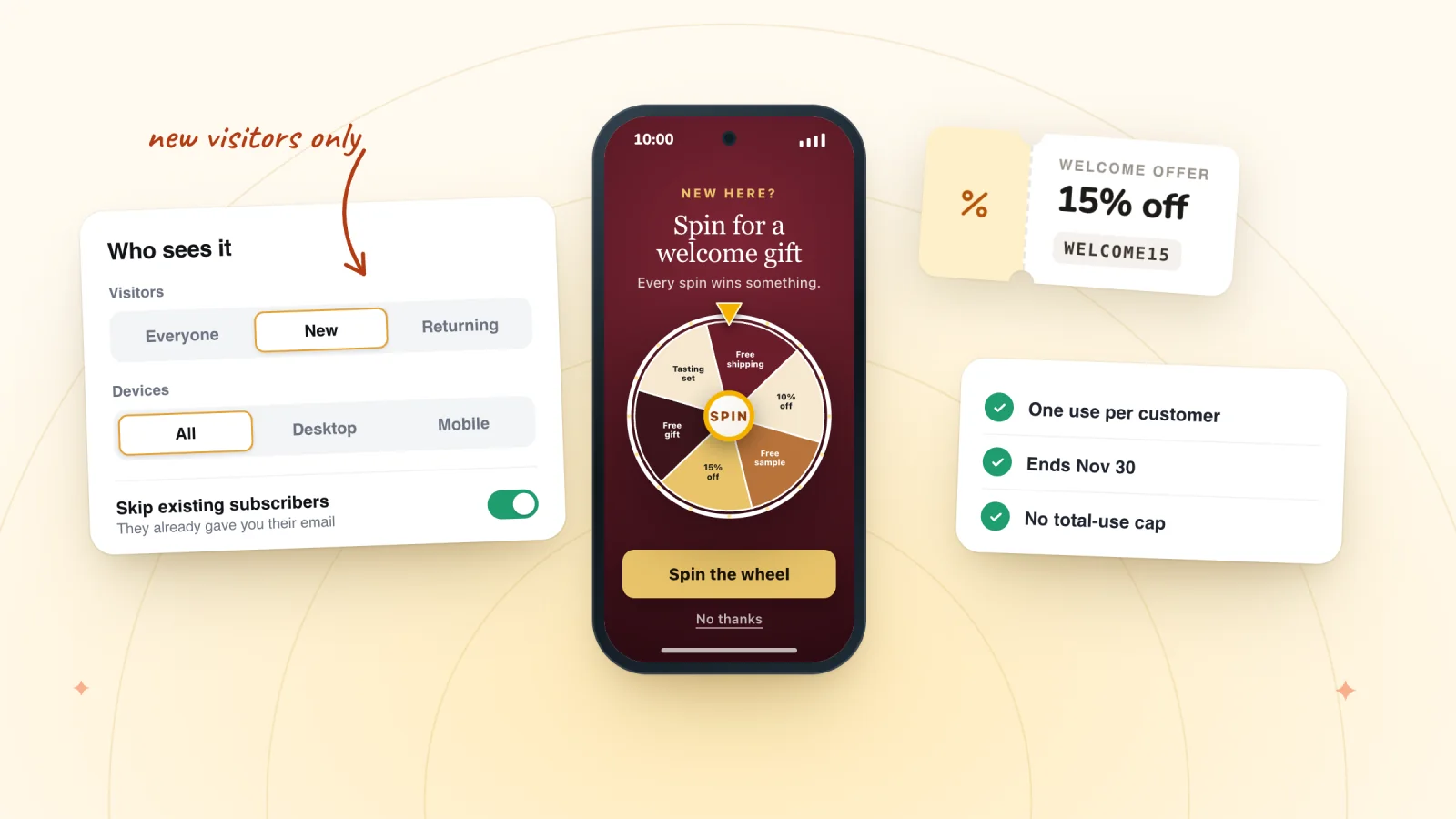
In Spin Wheel, each prize is one of your store's own coupons, and everyone who wins that prize sees the same code. So "it didn't work" often comes down to one of these:
- The shopper already used that prize code. The coupon's Limit to one use per customer setting is doing its job. Tell them the prize is one per customer.
- A total-use cap. On a shared prize code, a cap of 100 uses turns away the 101st winner who tries it, right after the pop-up said they'd won. Leave the total limit off on prize coupons. Spin Wheel won't accept a coupon capped at one use as a prize at all.
- Another coupon was already in the cart. Spin Wheel tries to add the winning code to the shopper's cart. If the cart already holds a different coupon, the pop-up says so and asks them to copy the prize code instead, because Wix takes one coupon per order.
- The coupon ended before the pop-up did. A revealed prize stays claimable in the pop-up for 24 hours by default, and you can choose between 1 hour and 7 days. That window doesn't extend the coupon. Stop the pop-up, or swap the prize, a few days before the coupon's end date, so a shopper who claims on the last evening can still check out the next day.
- A coupon you switched off. Swap it out of the pop-up's prizes before you deactivate it, so every spin still lands on a prize that works.
Typos are rare here, since the code appears in the pop-up and copies with a tap. For how shared prize codes stay contained, read how shared codes leak and how to limit it.
Test a code before you promote it
Before a code goes into an email, a post or a pop-up, try it on your published site:
- Add a product the coupon covers to your cart and apply the code. Check the amount, not just that the code was accepted.
- If there's a minimum order, try a cart just under it. The code should be refused.
- If the coupon covers certain products, try one outside them.
- Add two eligible items and check whether you see one discount or two.
- On a phone, try the code in the Side Cart as well as at checkout.
You don't need to finish the purchase to see the discount. If you do place a full test order with the manual payment method, leave it unpaid, because Wix counts the use against a total limit when the order is marked Paid.
Frequently asked questions
Why does my Wix coupon code say it's invalid?
Usually because of a setting on the coupon. Check that it's active, that today is inside its dates (it expires at the time of day it was created), that it hasn't reached a usage limit, and that the cart meets its minimum and holds items it covers. If all of that checks out, ask the shopper to copy and paste the code, since an extra space makes it invalid.
Why did my coupon stop working before its end date?
Three common reasons. The coupon may have reached its total-use limit. Someone may have deactivated it. Or the end date has arrived and the time has passed, since Wix expires a coupon at the time of day it was created, so a coupon made in the evening stops that evening, not at midnight.
Can customers use two coupon codes on one Wix order?
No. Wix's help center says customers can't currently apply more than one coupon at a time. A coupon can still combine with an automatic discount, and Wix suggests a free shipping rule above a set amount as a way to offer free shipping alongside a coupon.
Why can't a customer use the same code a second time?
The coupon probably has Limit to one use per customer ticked, so each customer can use it once. That's usually what you want on a welcome offer or a pop-up prize. If the offer is meant for repeat use, open the coupon under Coupons, untick the box and save.
Why isn't my Wix automatic discount showing?
Check that it's switched on and inside its dates and times, that the shopper is one of the customers it's for, and that the cart meets any minimum with the discounted items alone. Then look in the cart: Wix always shows automatic discounts there and at checkout, while product pages can show only the sale's name when a product's options are priced differently or the discount has a minimum.
Try it on your store
Spin Wheel's prizes can only be your store's active coupons, and it shows each winner the code on screen. See how the discount code pop-up for Wix stores hands out codes that checkout accepts.

Sources
- Troubleshooting: Customers are Unable to Apply Coupon
- Limiting Coupon Usage
- Creating a Price Discount Coupon
- Creating a Coupon With a Minimum Order Amount
- Wix Stores: Offering Discounts and Coupons
- Request: Applying Multiple Coupons
- Wix Stores Troubleshooting: Customers Unable to Checkout from Your Store
- Creating Standard Automatic Discounts
- Displaying Automatic Discounts on Your Site
- Wix Stores Request: Creating Discounts that Apply Only to Product Variants
- Wix Loyalty Program Request: Applying Automatic Discounts for Loyalty Program Customers
- Wix Stores Request: Creating Automatic Discounts for Subscription Products
- Manually Creating an Order

We build marketing apps for online stores: myuser.ai writes and sends emails and texts from a store's own products, and we make Spin Wheel and Session Recordings for Wix sites. Product details in our guides are checked against the apps themselves.