 Spin Wheel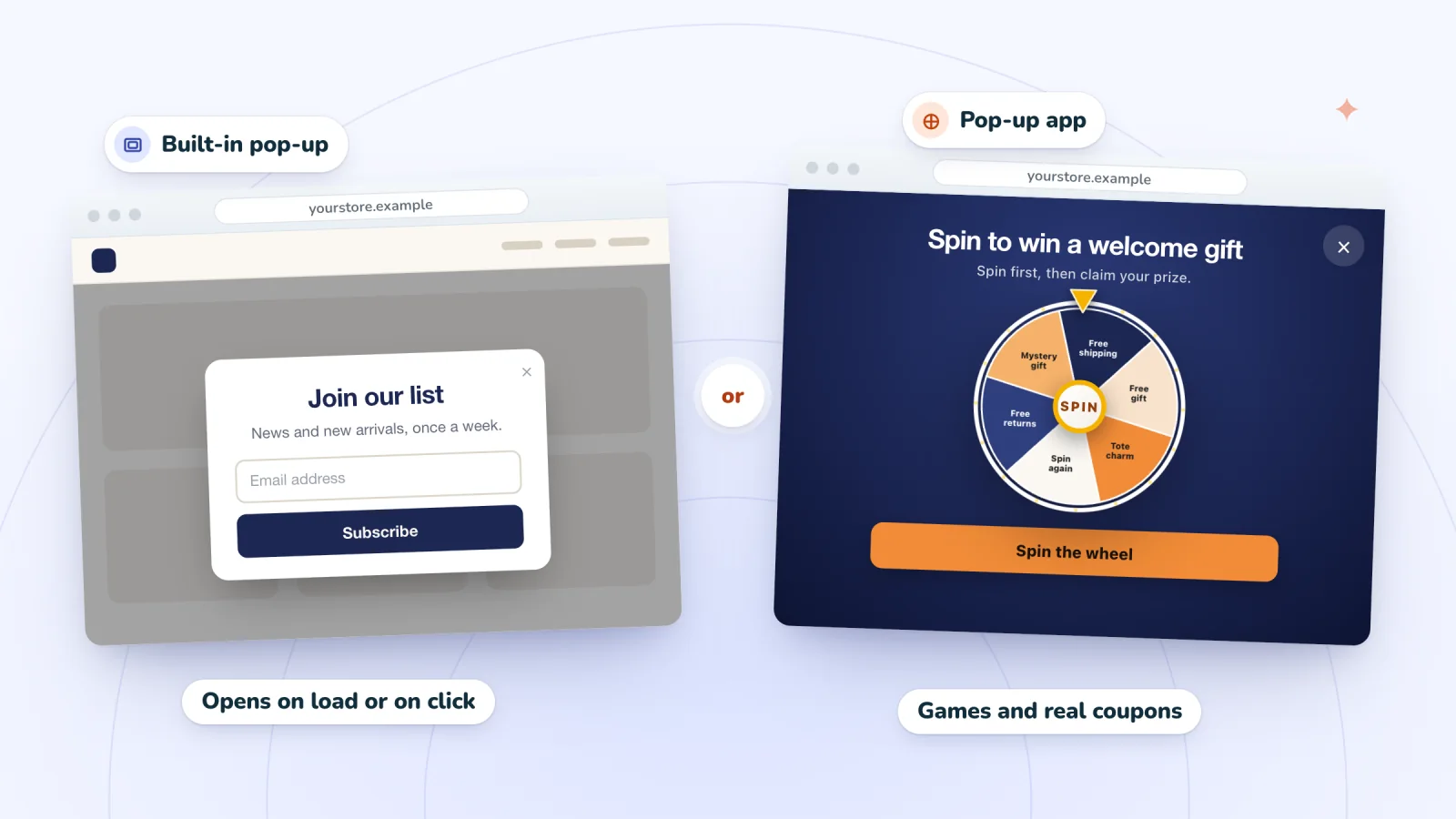
On this page
Wix has a pop-up tool built into its editor, and you can also add one with an app. Wix used to call its pop-ups lightboxes, a name that lives on in older tutorials and in the web addresses of Wix's help pages, but the editor now labels them Popups. Here's how the built-in option works, and when an app is the better fit.
Key takeaways
- Wix's built-in pop-ups, once called lightboxes, open automatically on the pages you choose, with an optional delay, or from a linked button.
- In the Wix Editor, pop-ups are hidden on phones by default, so switch them on in the mobile editor and trim them to fit.
- Wix's help center says a built-in pop-up can't open when a visitor tries to leave, so use a pop-up app for exit intent.
- Choose an app when you want a prize game, exit intent, codes revealed only to winners, or a pop-up built for phones from the start.
What a lightbox is
A lightbox is a window that opens over your page, with a dimmed overlay behind it. In Wix, you start from a template, add text, images, buttons or a form, then choose when it appears and how visitors close it. Wix's help center notes two limits:
- Only one pop-up can open automatically on a page, though more can open from links.
- A pop-up has no web address of its own, so you can't share a link to it.
Add a popup in the Wix Editor
Start from one of Wix's pop-up templates:
- Click Add Elements on the left, then Interactive.
- Under Popups, choose a category, such as Welcome or Contact, and click or drag a design onto your site. The editor switches to Popup Mode.
- Edit the text and images. When you drag in more elements from Add Elements, drop them when you see "Attach to Popup."
- Click the dimmed overlay around the pop-up to change how it looks, or turn on Clicking closes popup under Set Up Overlay so a click outside closes it.
- Click Exit Mode on the top bar to go back to your page.
Make it open on its own or on a click
Open the pop-up from Pages & Menu, then Popups, click it on the canvas and click Set Triggers.
To open it automatically, choose Yes under "Automatically display popup on pages," then pick the pages or tick First page visitor sees. Many pop-ups also have a Delay slider, which Wix says starts counting once the site has fully loaded.
To open it on a click, choose No, then link a button to it:
- Select the button, or any text, in the editor.
- Click the Link icon and select Popup.
- Choose your pop-up from the Which Popup? drop-down and click Done.
The same panel has Popup Scheduling for limited-time sales, and it lets you choose an X icon, a Close button, or both for closing the pop-up.
Put a sign-up form inside
With the pop-up open, click Add Elements, then Contact & Forms, scroll to Subscribe and drag a form into the pop-up. Wix says people who fill in a subscribe form join your contact list with a Subscriber label.
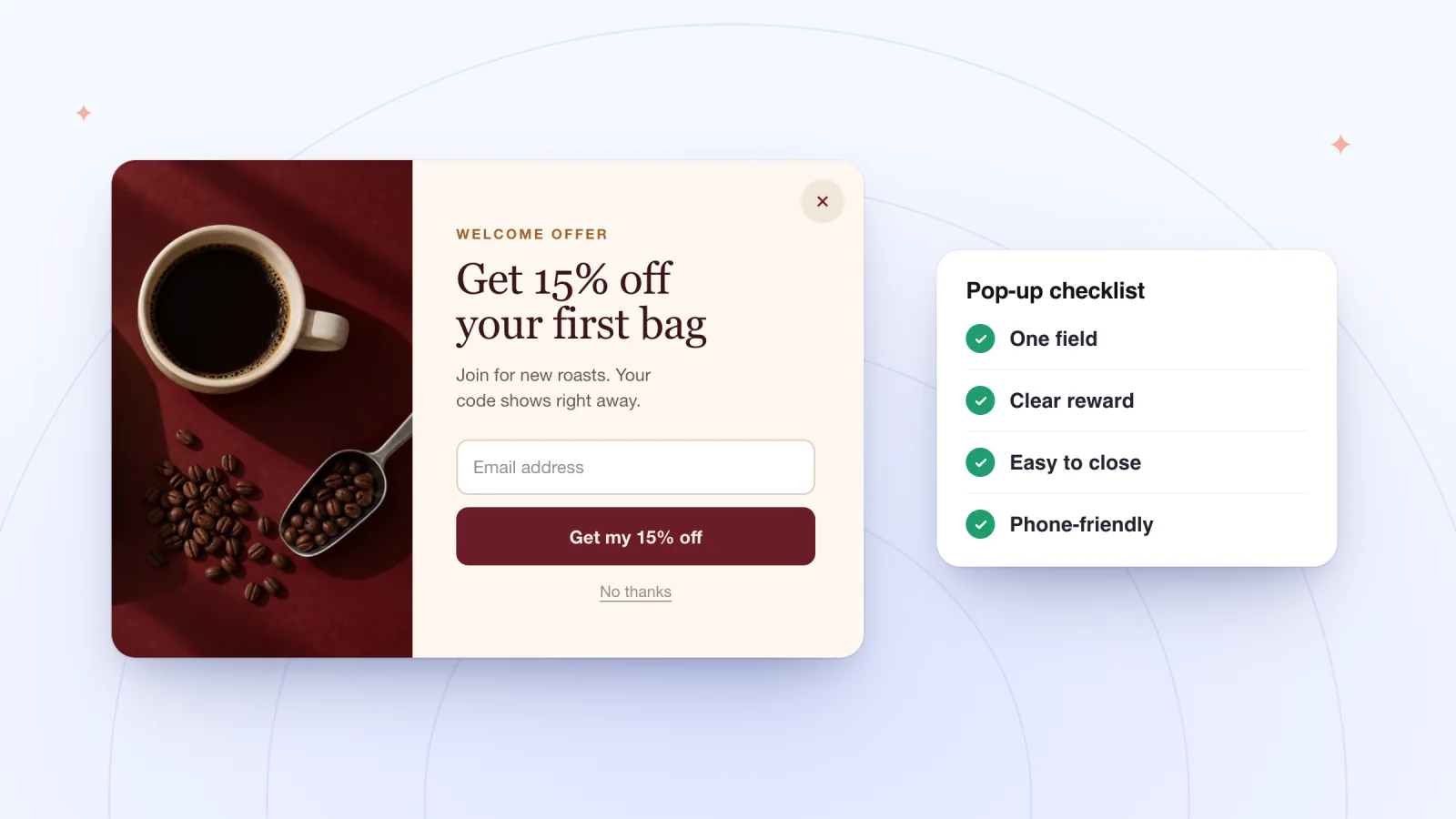
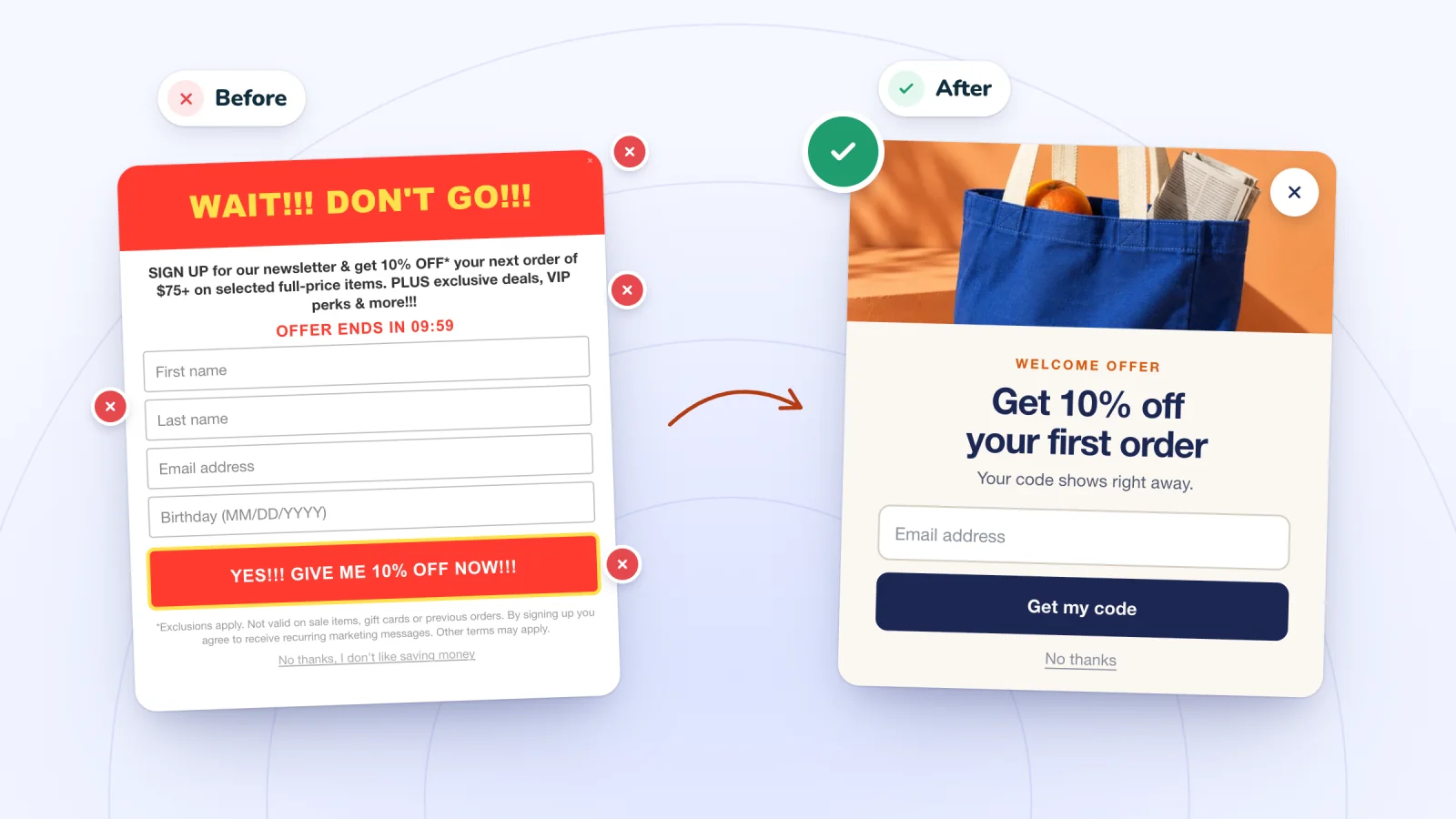
Put the offer in the headline, ask for an email and little else, and say what people will receive and that they can unsubscribe. Wix's form help notes that rules for marketing messages differ by location.
One catch with discounts: a code typed into a pop-up is the same for everyone, so it can spread beyond your list, as the guide to unique coupon codes explains. For wording and layout, see email pop-up best practices or this free sign-up pop-up checklist.
Pop-ups that show up at the right moment
Delay, scroll, page-count and exit-intent triggers on desktop and phone. A closed pop-up waits as a small tab.
Add to Wix, it's free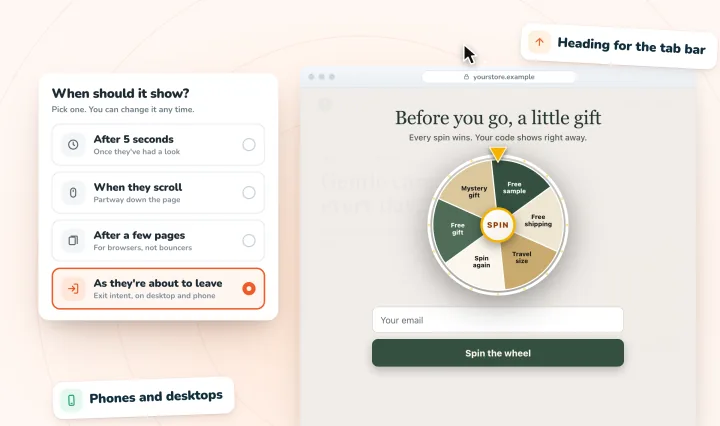
Check how it looks on phones
In the Wix Editor, pop-ups are hidden from your mobile site by default. To show one:
- Open the mobile editor.
- Click Menus & Pages, then Popups, and click your pop-up.
- Click the Settings icon and choose Yes under "Automatically display popup on pages." This only appears if the pop-up opens automatically on desktop.
Then trim it for a small screen. You can edit text and images, hide elements and change the close buttons, but the overlay and background carry over from desktop. Keep it short and easy to close, since Google's search guidance advises against pop-ups that cover a page's main content on phones. The guide to pop-up mistakes has the fixes.
What's different in Wix Studio
Wix Studio has the same pop-ups behind different menus:
- Adding one: click Add Elements, then Layout Tools, then Popups.
- Triggers: open the pop-up from the Pages panel, then click Set Triggers for the same automatic display choice and a Delay slider in seconds.
- Linking: click the Link icon, select Popup, then pick it under Which Popup?.
- Limits: one pop-up per page, scheduling only for automatic pop-ups, and no sections or menus inside a pop-up.
The phone steps above are for the Wix Editor, so in Studio, test on a real phone after publishing. Wix's newer Harmony editor also has pop-ups, added from its + Add panel.
When a pop-up app helps
The built-in pop-up suits announcements, a simple newsletter box or a pop-up behind a button. An app is worth a look when you want more:
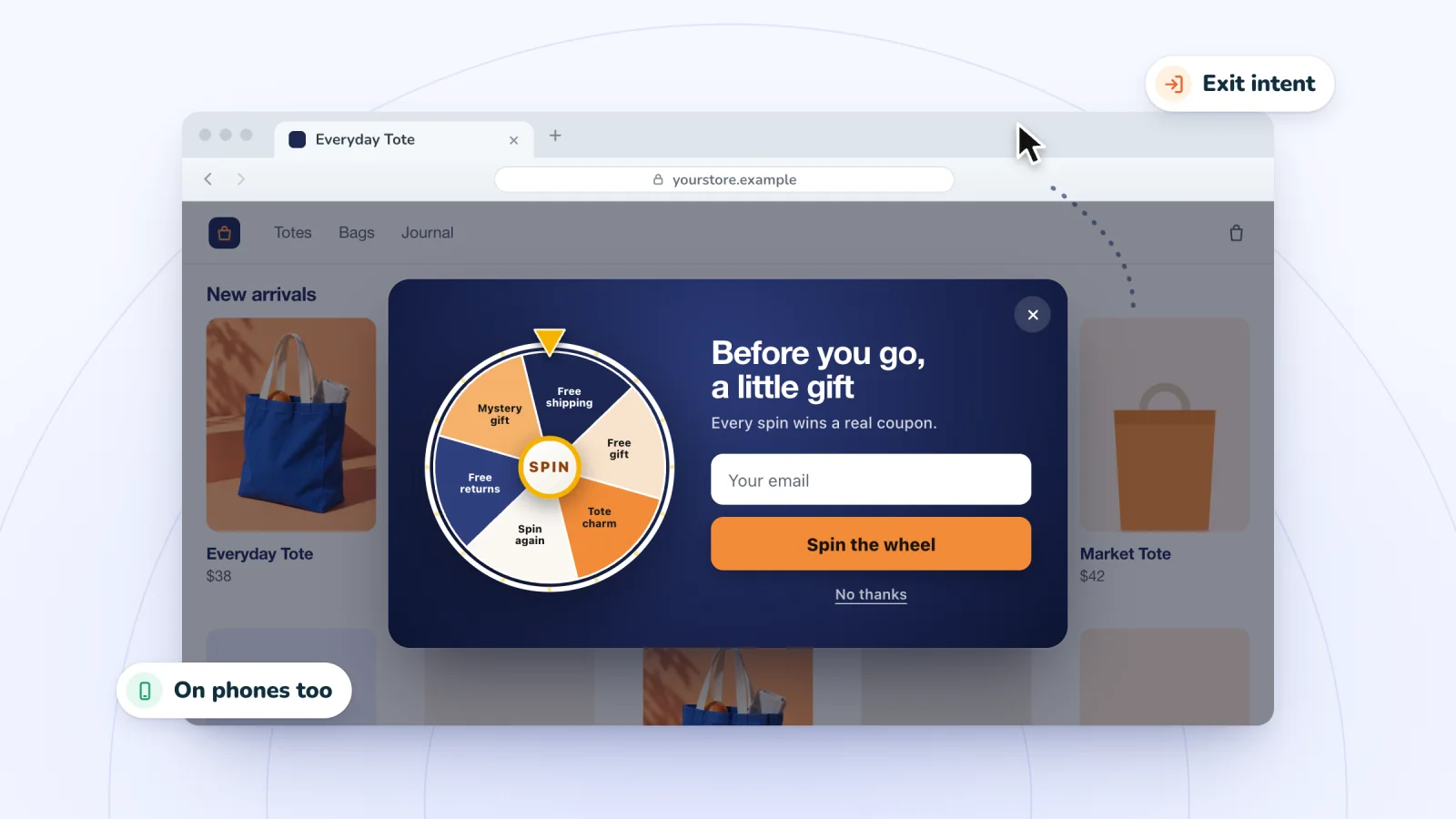
- An offer as visitors leave. Wix's help center says a Wix Editor pop-up can't currently open when a visitor attempts to leave. An app can add an exit-intent pop-up.
- A prize game. A spin wheel, scratch card or gift box makes signing up quick and fun.
- A code only winners see. An app can keep a coupon code hidden until a shopper wins it.
- A phone-first layout. An app can be designed for small screens from the start.
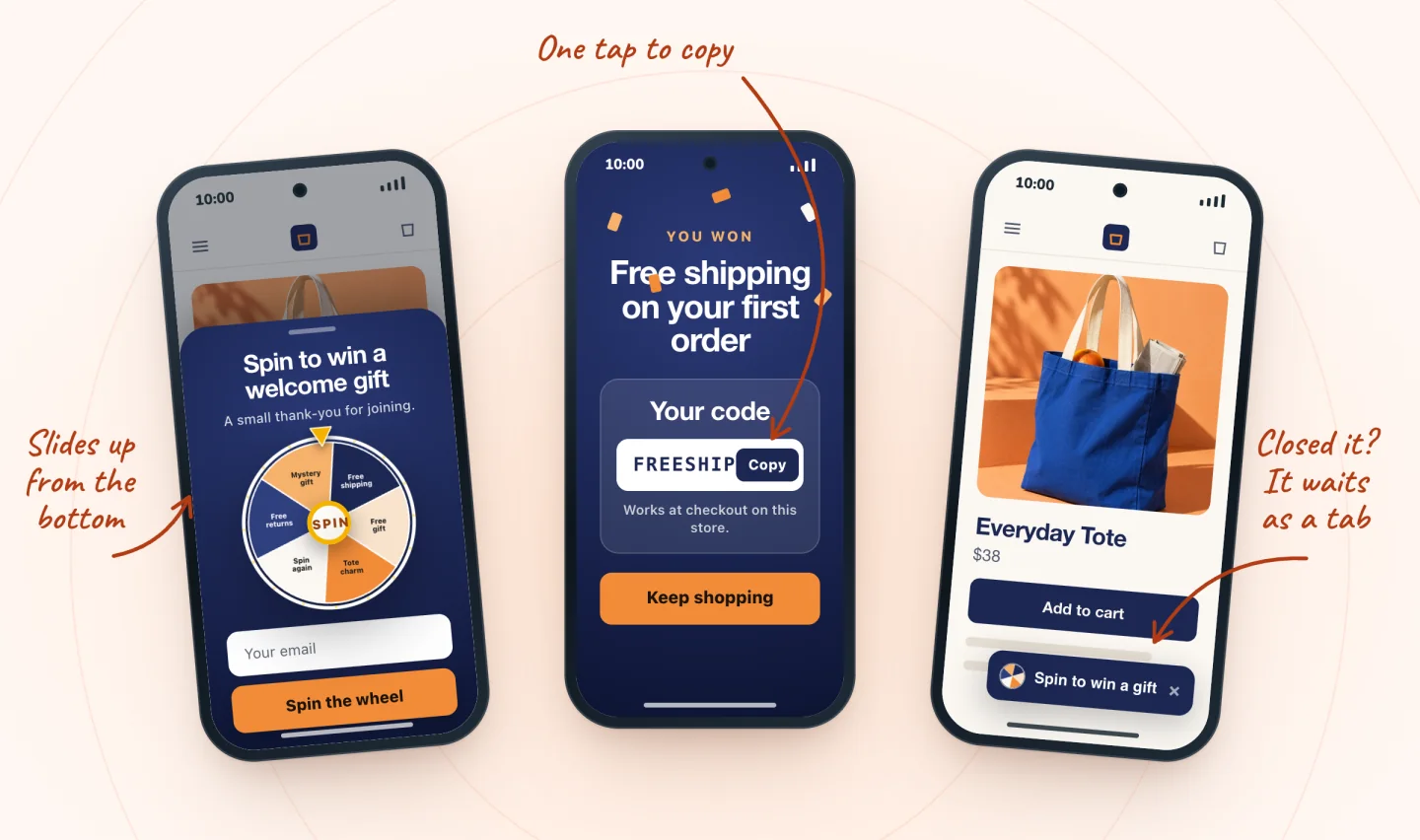
Spin Wheel is one such app. Every play wins one of your prizes, drawn on our servers from the odds you set, and each prize is one of your store's coupons, shown with a Copy button and emailed as a backup. Sign-ups go to your site's contacts with consent, and texts need a separate tick. Spin Wheel doesn't send marketing emails or texts, so you follow up with your usual tools.
Built-in pop-up or app, side by side
| Wix popup (lightbox) | Spin Wheel (pop-up app) | |
|---|---|---|
| Games | Your own design from text, images, buttons and forms | Spin wheel, scratch card or gift box |
| Coupon codes | Any code you type in, shown to every visitor | Your store's coupons, shown only to winners |
| Exit intent | Not available in the Wix Editor | Desktop and phone |
| Triggers | Page load, with an optional delay, or a click | Delay (5 seconds by default), scroll, page count or exit intent |
| Phones | Hidden on mobile by default in the Wix Editor | Bottom sheet, with a small tab after closing |
| Contacts | Subscribe forms add a Subscriber label | Saved with consent, plus a separate tick for texts |
Frequently asked questions
Are Wix lightboxes and popups the same thing?
Yes. Wix now calls them popups in its editor, so both names describe the same element. You'll still see "lightbox" in older tutorials and in the web addresses of some Wix help pages. Whichever name a guide uses, look for Popups in your editor's menus.
How do I make a Wix popup open when someone clicks a button?
Set the pop-up's "Automatically display popup on pages" option to No. Then select your button, click the Link icon, choose Popup, pick your pop-up from the Which Popup? drop-down and click Done. Linked pop-ups work in preview, so you can test the click before you publish.
Can a Wix popup appear when a visitor is about to leave?
Not with the built-in settings. Wix's help center says it isn't currently possible to trigger a popup when a visitor attempts to leave the site. A pop-up app with an exit-intent trigger can do it. Spin Wheel's exit intent works on desktops, where it watches the cursor, and on phones too.
Why doesn't my Wix popup show on my phone?
In the Wix Editor, pop-ups are hidden from the mobile site by default. In the mobile editor, open Menus & Pages, then Popups, select the pop-up, click the Settings icon and choose Yes under "Automatically display popup on pages." Then check the live site, since automatic pop-ups don't appear in preview. If it still won't appear, work through why a Wix popup isn't showing.
Try it on your store
Spin Wheel adds spin-to-win, scratch-card and gift-box pop-ups to Wix stores, with no code. Every play wins one of your prizes, backed by your store's coupons, exit intent works on desktop and phone, and sign-ups land in your contacts with consent. See it on the spin-to-win pop-up page, or compare plans and pricing.
Sources
- Wix Editor: Adding and Setting up a Popup
- Wix Editor: Managing Your Popups
- Wix Editor: Showing and Customizing Popups on Your Mobile Site
- Wix Editor Request: Triggering a Popup when a Visitor Attempts to Leave Your Site
- Studio Editor: Using Popups
- Wix Forms: Adding and Setting Up a Subscribe Form

We build marketing apps for online stores: myuser.ai writes and sends emails and texts from a store's own products, and we make Spin Wheel and Session Recordings for Wix sites. Product details in our guides are checked against the apps themselves.