 Spin Wheel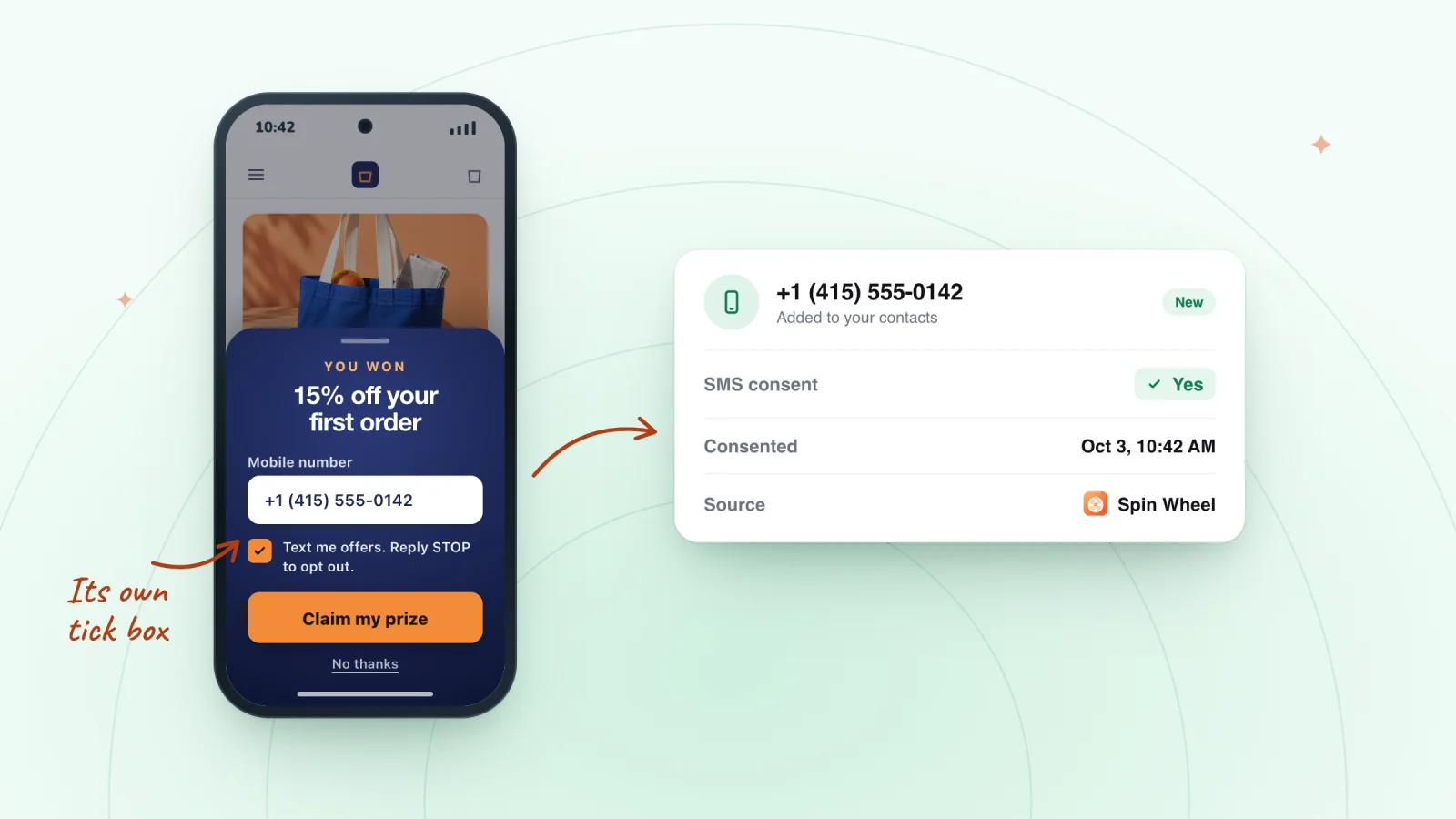
On this page
- Give SMS consent its own checkbox
- What the consent text should cover
- Place the checkbox where people will see it
- Give shoppers a reason to tick the box
- Make the phone number easy to get right
- Keep records of every opt-in
- Send a first text that matches the promise
- Test the whole path before you go live
- Frequently asked questions
- Try it on your store
A phone number is more personal than an email address, and the rules around marketing texts are stricter. Before you send a single promotional text, you need a shopper's clear permission. This guide covers how to ask for it on a pop-up, what to say and what to keep on file. It is general information and isn't legal advice, so check the rules in each place you sell.
Key takeaways
- Ask for SMS consent with its own unticked, optional checkbox next to the phone field, separate from email.
- Make the consent text name your store, the message type, frequency, costs, how to stop, and where your terms live.
- Keep a record of every opt-in and opt-out, including the exact wording shown, the time and the page.
- Test the full path with your own phone, including signing up unticked and replying STOP, before going live.
Give SMS consent its own checkbox
A phone number typed into a form doesn't, by itself, give you permission to send marketing texts. Ask for that permission separately and clearly.
- Use a separate checkbox. Put it right next to the phone field, apart from anything about email.
- Leave it unticked. The shopper should tick it themselves. A box that arrives already ticked doesn't show a real choice.
- Keep it optional. A shopper should still be able to join by email, and still claim their offer, without agreeing to texts.
- Treat email and texts as two choices. Someone may want emails and no texts, or the reverse. One box should never cover both. An email pop-up that asks for both can give each its own choice.
What the consent text should cover
The words beside the checkbox carry most of the weight. In general terms, they should make these points clear:
- Who is texting. Your store's name, exactly as shoppers know it.
- What kind of messages. For example, recurring automated marketing texts about offers, new arrivals and cart reminders.
- How often. A rough number, such as "up to 4 msgs/month," or a plain note that frequency varies.
- Costs. The line "Msg & data rates may apply."
- How to stop. "Reply STOP to opt out" and "Reply HELP for help."
- Where the details live. Links to your terms and your privacy policy.
Here is a sample to adapt. Have someone who knows the rules where you sell review your final wording.
Yes, text me offers and new arrivals from [Store name]. Recurring automated marketing texts, up to 4 msgs/month. Consent is not a condition of purchase. Msg & data rates may apply. Reply STOP to opt out, HELP for help. See our Terms and Privacy Policy.
Place the checkbox where people will see it
Consent text does its job only when the shopper can't miss it.
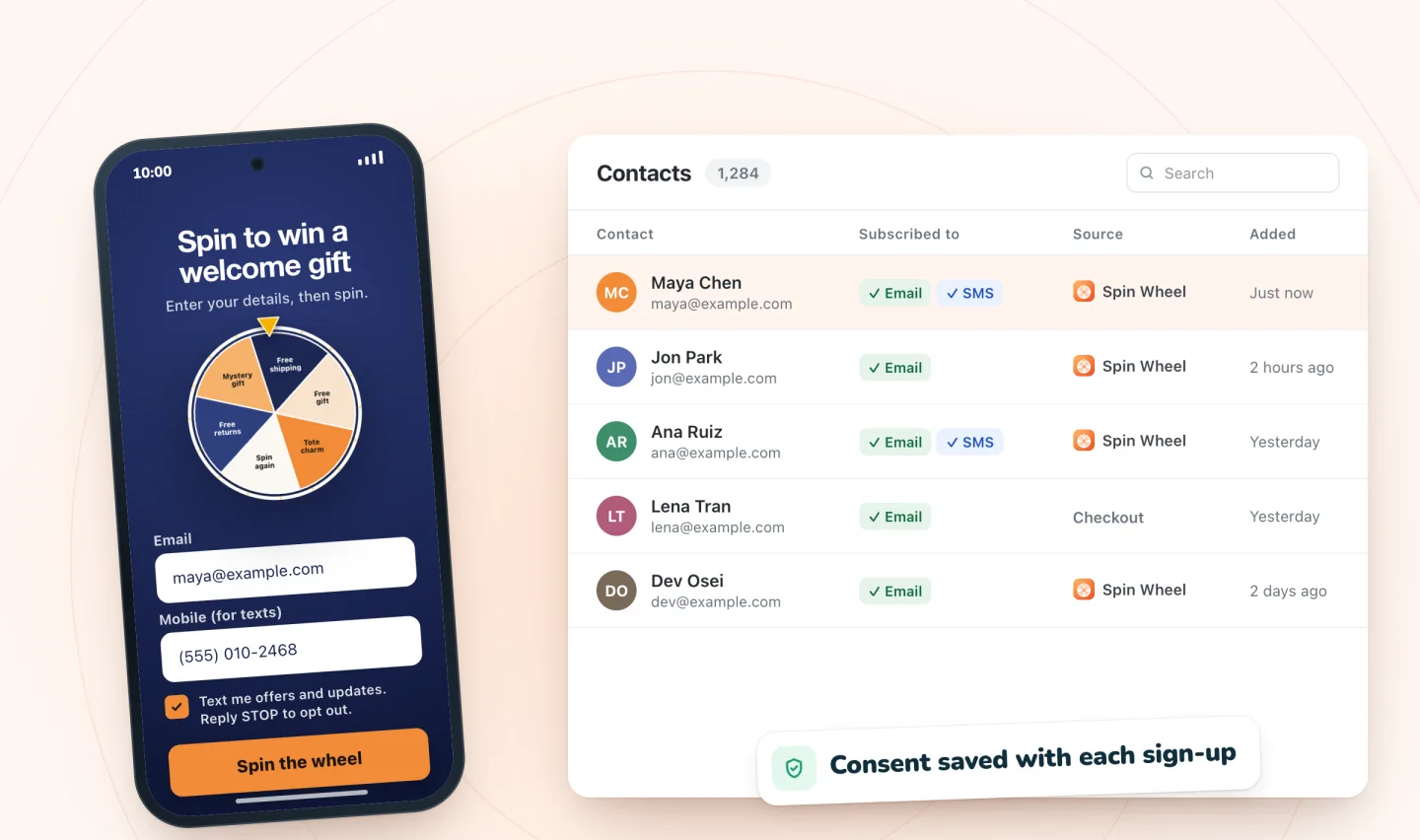
- Put the checkbox and its text directly below the phone field, above the button.
- Use a readable size and strong contrast. Pale gray text in a tiny font on a phone screen buries the terms.
- Keep the full text in view. Tucking it behind a "details" link makes it easy to skip.
- Keep the box and the words together, so it's obvious which text the box refers to.
Give shoppers a reason to tick the box
A consent box with no reason attached is easy to skip. A short line above it can tell shoppers what texts will bring them, such as "Get restock alerts and early access by text." Promise only what you'll actually send. If the line says restock alerts and the texts turn out to be daily discounts, the shopper who ticked the box was misled.
Make the phone number easy to get right
A number that can't receive texts is no use to anyone, so help shoppers type it correctly.
- Show the format you expect. A sample number in the field, written in your local format, shows people how to enter theirs.
- Handle country codes. If you sell in more than one country, let shoppers pick theirs from a list, so a number typed without its country code still works.
- Store numbers in one consistent format. Saving every number with its country code makes your list easier to clean up, and opt-outs easier to match to the right person.
The same habits that help shoppers type an email address correctly apply here too, and the guide to email pop-up best practices covers them.
Collect email and SMS sign-ups with consent
Every sign-up is saved to your contacts with the consent the shopper gave. Texts need a separate tick.
Add to Wix, it's free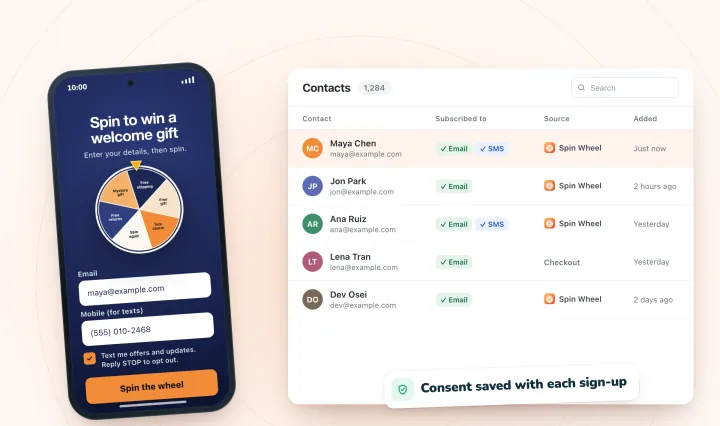
Keep records of every opt-in
If anyone ever questions whether a shopper agreed, your records are your answer. For each opt-in, keep:
- The phone number
- The date and time of the sign-up
- The exact consent wording the shopper saw
- Where it happened, such as which pop-up and which page
- How they agreed, such as ticking the box
Record opt-outs just as carefully, with the date each one came in. When you change your consent wording, save the old version along with the dates it was live. That way, every record matches the text that was actually on screen.
Send a first text that matches the promise
The first message sets the tone for everything after it. Use it to confirm the sign-up, name your store, repeat the rough frequency and remind people how to stop.
Some senders ask new subscribers to reply YES before any marketing goes out. That extra step asks a little more of the shopper, and it leaves a clear record that the person holding the phone agreed. For what to send over the rest of the first week, see what to send new subscribers.
Keep texts short and well timed
- Mind the length. A standard text holds 160 characters, but a single emoji switches it to a shorter limit of 70, and longer texts split into parts. Here's why texts split at 160 or 70 characters, and you can check each draft with an SMS length calculator before it goes out.
- Send at sensible hours. Text during the daytime in the shopper's time zone. Some places limit when marketing texts may be sent.
- Honor STOP right away. When someone replies STOP, end all marketing texts to that number and keep it on your opt-out list.
- Know when to hold back. A text lands in a personal space, so timing and tact matter even more than with email. These moments when a marketing text should wait are worth knowing.
Test the whole path before you go live
Run through every step with your own phone before shoppers do.
- Sign up through the pop-up without ticking the box, and confirm the number isn't added to your text list.
- Sign up again with the box ticked, and check that the record shows the consent, the wording and the time.
- Send yourself the first text and read it on your phone. Make sure the store name, frequency and STOP line all appear.
- Reply STOP and confirm your number is marked as opted out.
If any step surprises you, fix it before the pop-up goes live. A gap found by you costs nothing. A gap found by a customer costs trust.
Frequently asked questions
Can you text customers who gave their number at checkout?
Usually not for marketing, unless they also agreed to marketing texts. A number given with an order is there so you can handle that order, and promotional texts generally need separate, clear permission. Offer an optional, unticked consent box at checkout or in a pop-up, so customers can choose. This is general information and isn't legal advice, so check the rules where you sell.
How often should you text subscribers?
As often as your sign-up promised, and no more. If your consent text said up to 4 messages a month, stay within that. Texts land in a personal space, so each one should be worth reading, sent during the day in the shopper's time zone. Watch your opt-outs, and if they rise after a busy week, slow down.
Why does SMS consent text say message and data rates may apply?
It tells shoppers that their phone carrier may charge them for texts and data, depending on their plan. It doesn't mean your store is charging anything. The line is a standard part of SMS consent wording, alongside your store's name, how often you'll text, and how to reply STOP to opt out or HELP for help.
Try it on your store
Spin Wheel can collect email, a phone number for texts, or both. A phone number is only signed up for texts when the shopper ticks a separate consent box, and every sign-up is saved to your site's contacts with the consent given. Learn more on the SMS pop-up page.

We build marketing apps for online stores: myuser.ai writes and sends emails and texts from a store's own products, and we make Spin Wheel and Session Recordings for Wix sites. Product details in our guides are checked against the apps themselves.