On this page
Choose a spin wheel when you have three or more prizes of different sizes to show off, and a scratch card or gift box when you have one or two. If shoppers play with a keyboard, pick the wheel or the gift box, and if you're unsure, start with the gift box, the quickest of the three to finish.
The three common games do the same job: a shopper plays, wins one of your prizes and leaves an email address to claim it. Wix's help center lists gamified promos such as spin to win as a feature request, not something Wix Promos can make today, so on a Wix site a prize game usually comes from an App Market app; this comparison of Wix's built-in popups and a pop-up app shows where each stops.
Key takeaways
- Use a wheel when you have at least two different prizes worth showing; Spin Wheel won't put a wheel live with fewer.
- A scratch card or gift box can reveal a single prize, so either suits a store starting with one coupon.
- The wheel and the gift boxes are played with buttons, so keyboard users can play them; the scratch card needs a finger or mouse drag.
- Switching games in Spin Wheel keeps your prizes and chances, so try a different game before you change the offer.
Pick a game in one minute
| If this sounds like your store | Use | Why |
|---|---|---|
| Three or more prizes of different sizes | Spin wheel | It shows the whole range, from the everyday prize to the rare one, before anyone plays |
| One coupon, or two | Scratch card or gift box | A single reveal looks right, while a wheel needs at least two different prizes to go live, since one where every slice pays the same decides nothing |
| Mostly phone visitors who browse quickly | Gift box | One tap, and the box opens in under a second |
| Shoppers who play with a keyboard | Wheel or gift box | Both are played with buttons; the scratch card needs a drag |
| A quiet, minimal design | Scratch card or gift box | Less on-screen motion than a wheel that turns for about five seconds |
| Not sure | Gift box | It's the quickest to finish: one tap, and the prize shows in under a second |
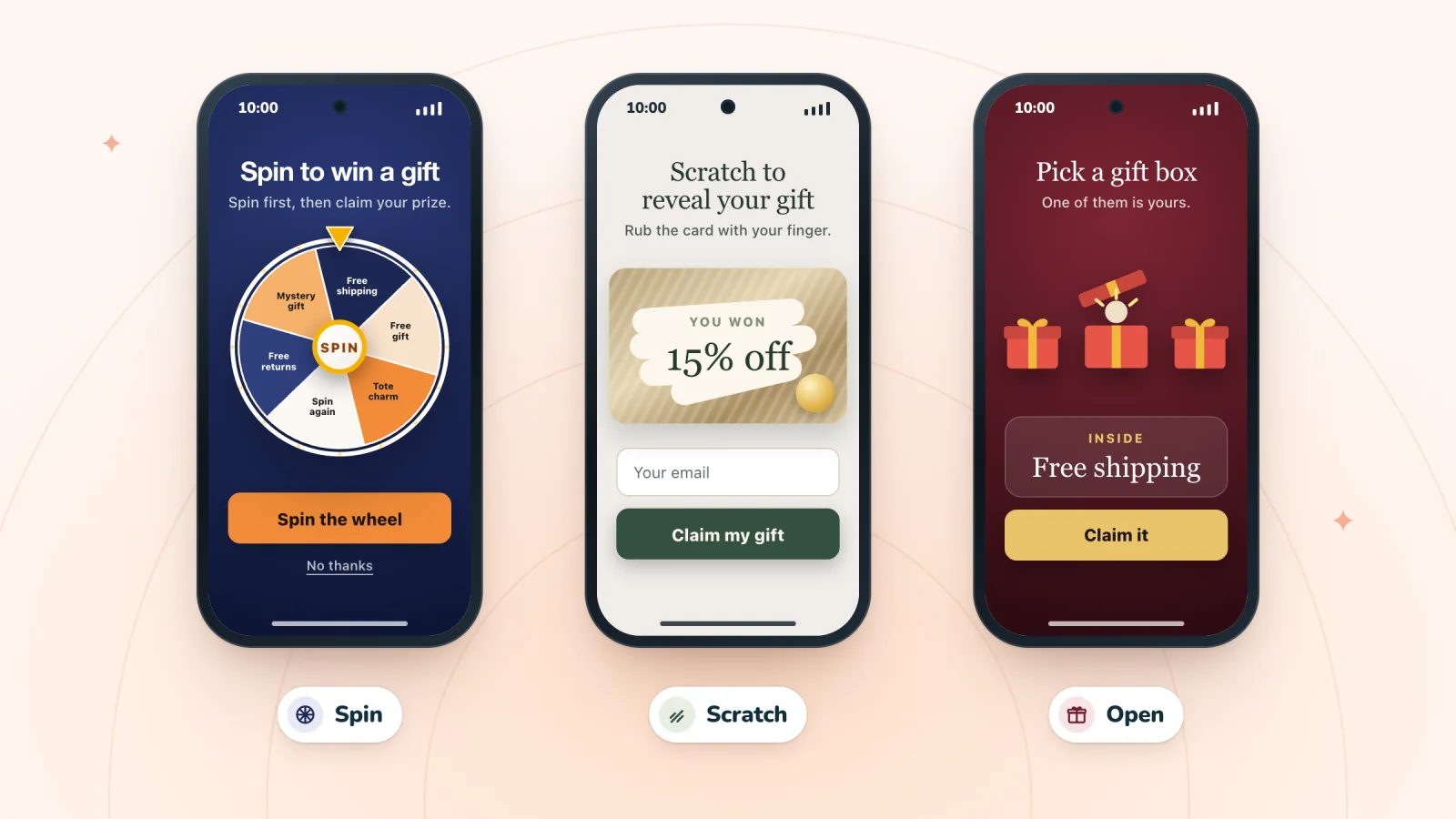
What each game looks like in Spin Wheel
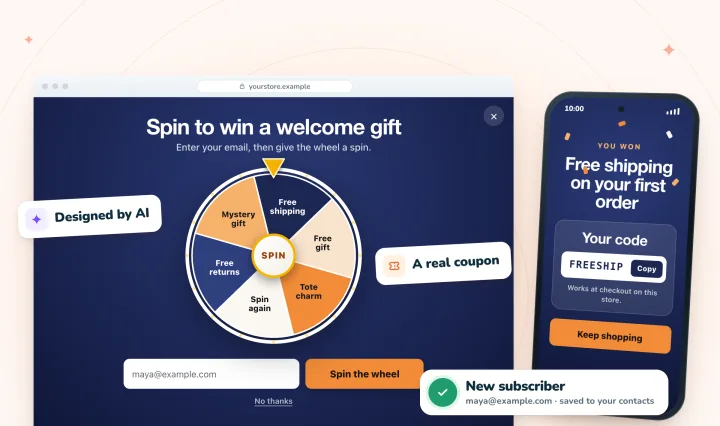
AI drafts each game from your store's brand, and every prize is one of your store's coupons.
Spin wheel
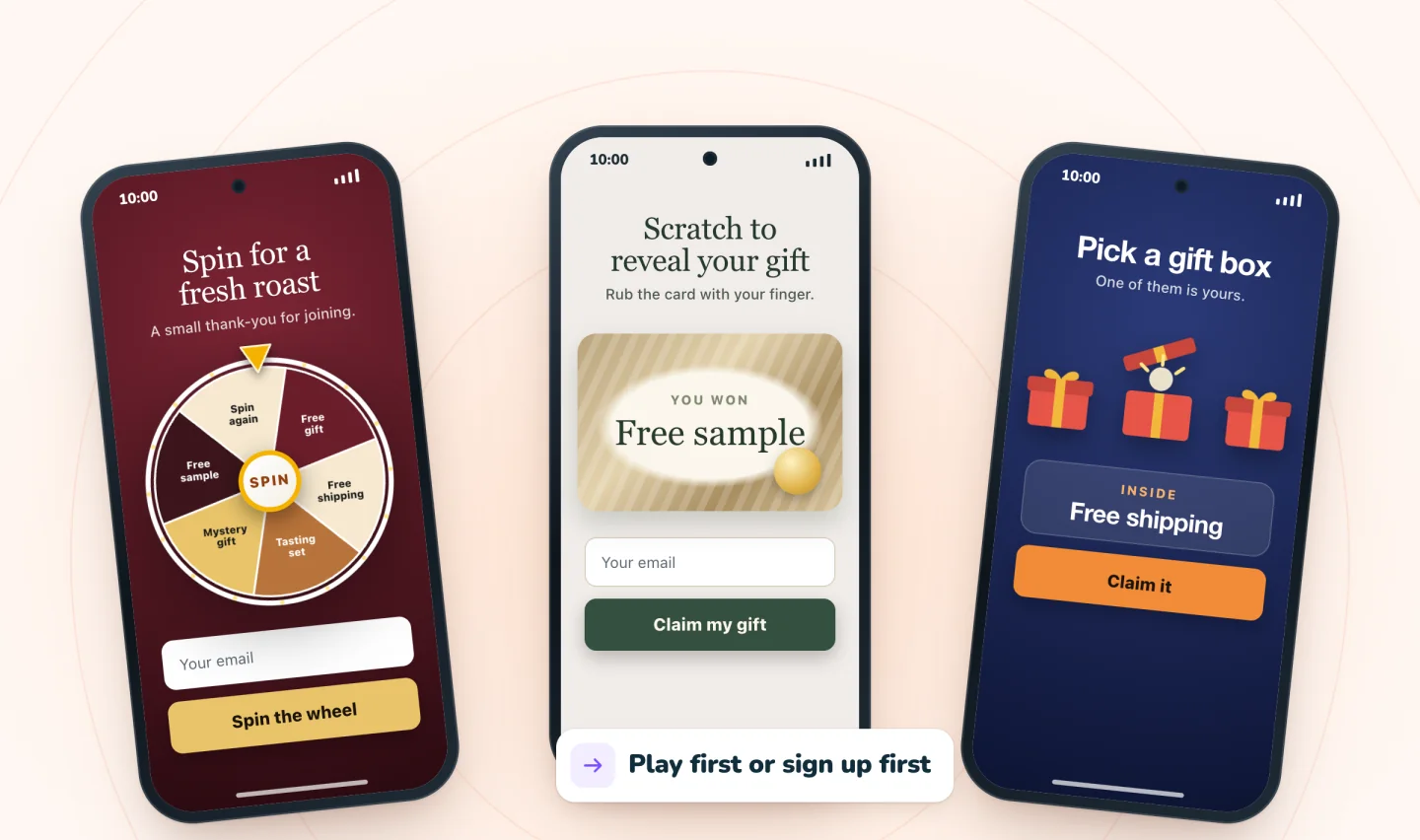
The shopper taps the wheel or its SPIN button, and the wheel turns for about five seconds before stopping on the winning slice. A wheel reads best with about six to eight slices. If you have fewer prizes than that, repeat your everyday prize rather than adding filler, and Spin Wheel spreads the repeats around the wheel so the same prize doesn't sit on neighboring slices, as long as no one prize fills more than half of them.
Scratch card
The shopper rubs a foil layer with a finger or the mouse, and the prize shows once a little under half of the foil is cleared. Four foil styles are available: Classic (a diagonal sheen), Brushed (silver grain), Prismatic (a light-catching shimmer) and Lotto (speckled, like a lottery ticket). The free scratch-off card maker lets you try all four on a card of your own. A scratch card can go live with a single prize, which makes it the natural choice for one headline offer. It is played by dragging, so a shopper who uses only a keyboard can't scratch it.
Gift box
The pop-up shows two to five containers, set with Number of boxes, in one of four styles: gift boxes, treasure chests, balloons or envelopes. The shopper taps one and it opens in under a second. Each box is a button, so it works with a keyboard too.
The same in all three
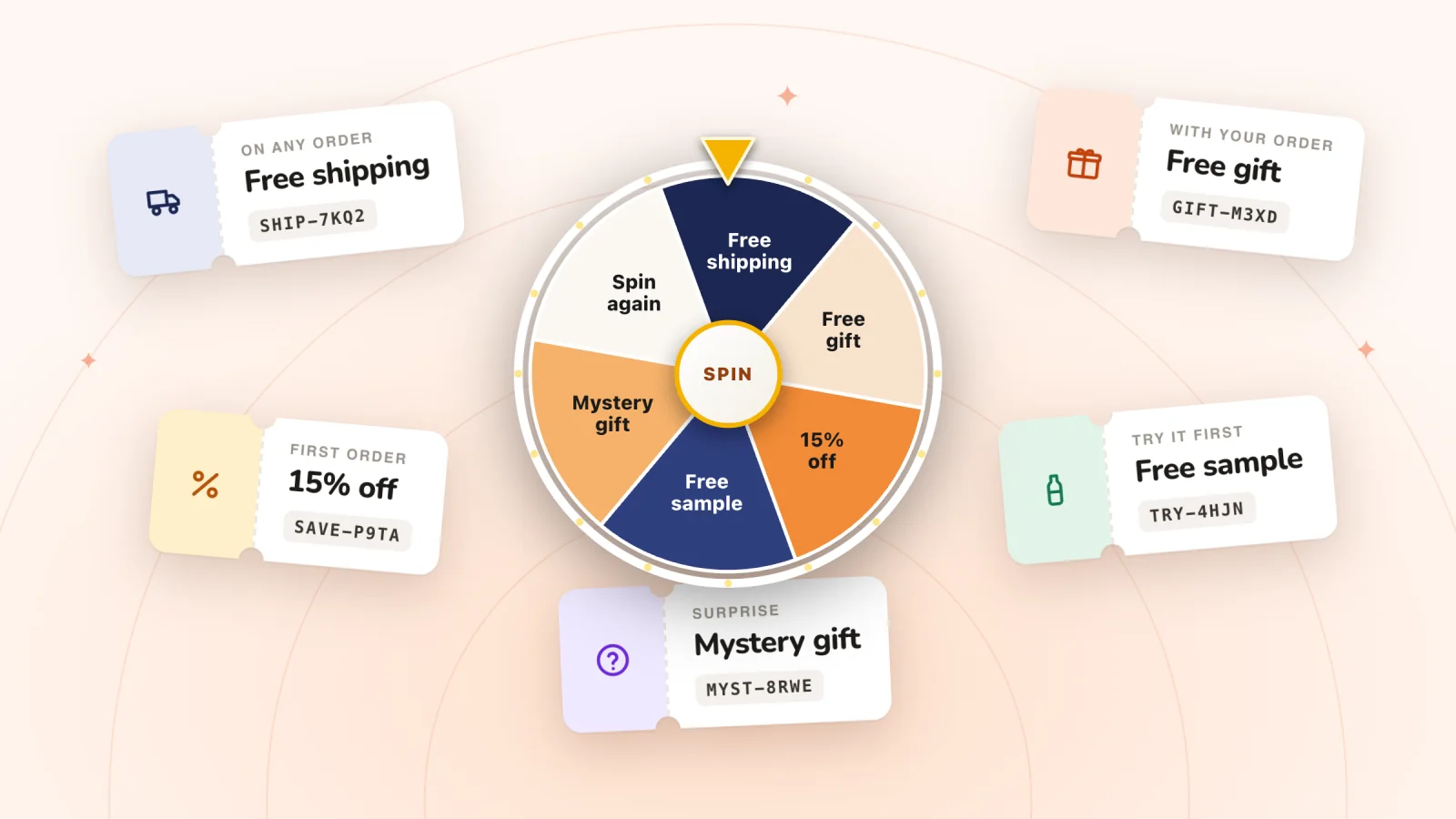
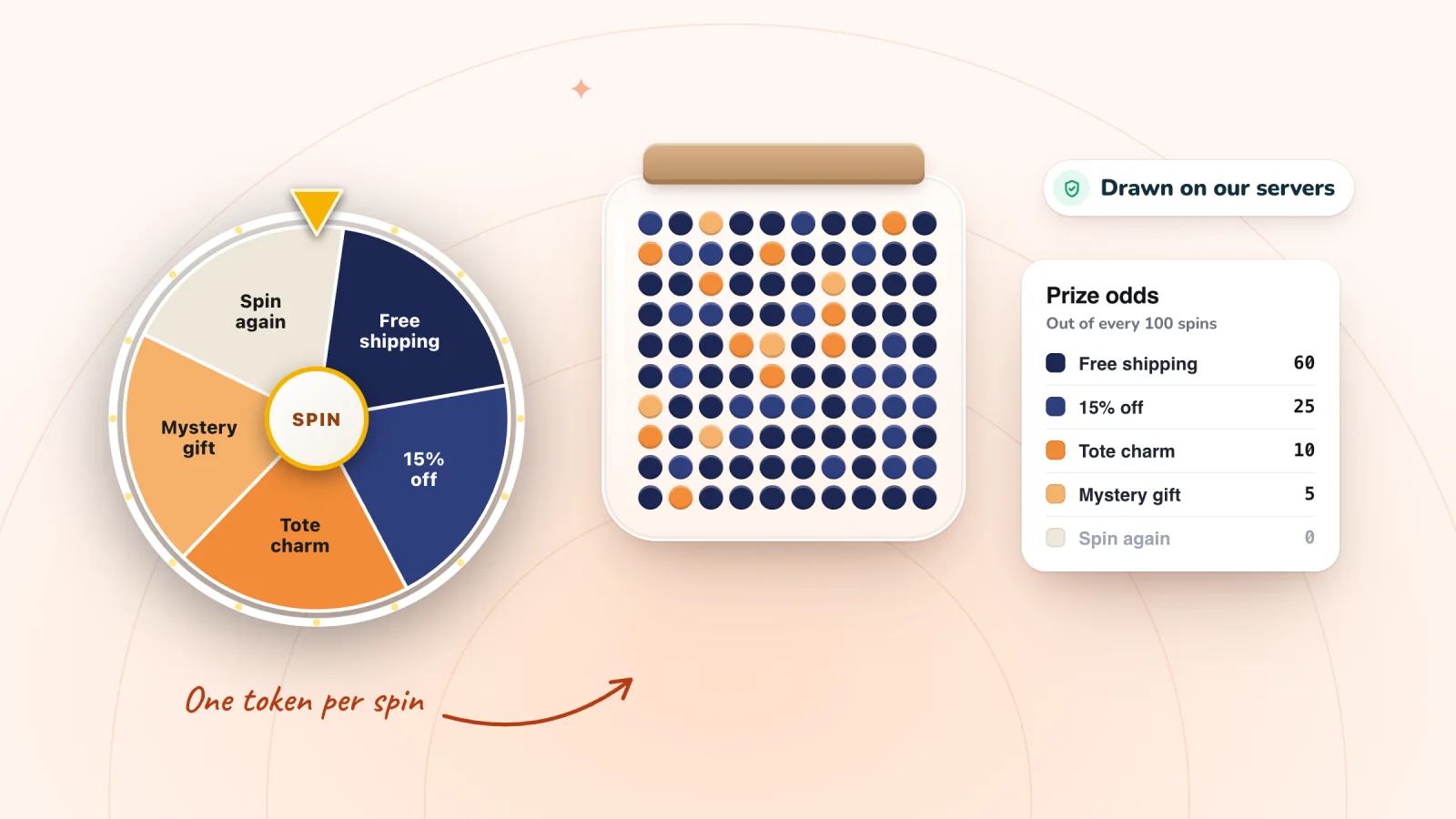
- The box, foil or slice doesn't decide anything. Our servers draw the prize from the chances you set, and the game then shows that prize. Here's why the prize should be drawn on a server, not in the shopper's browser.
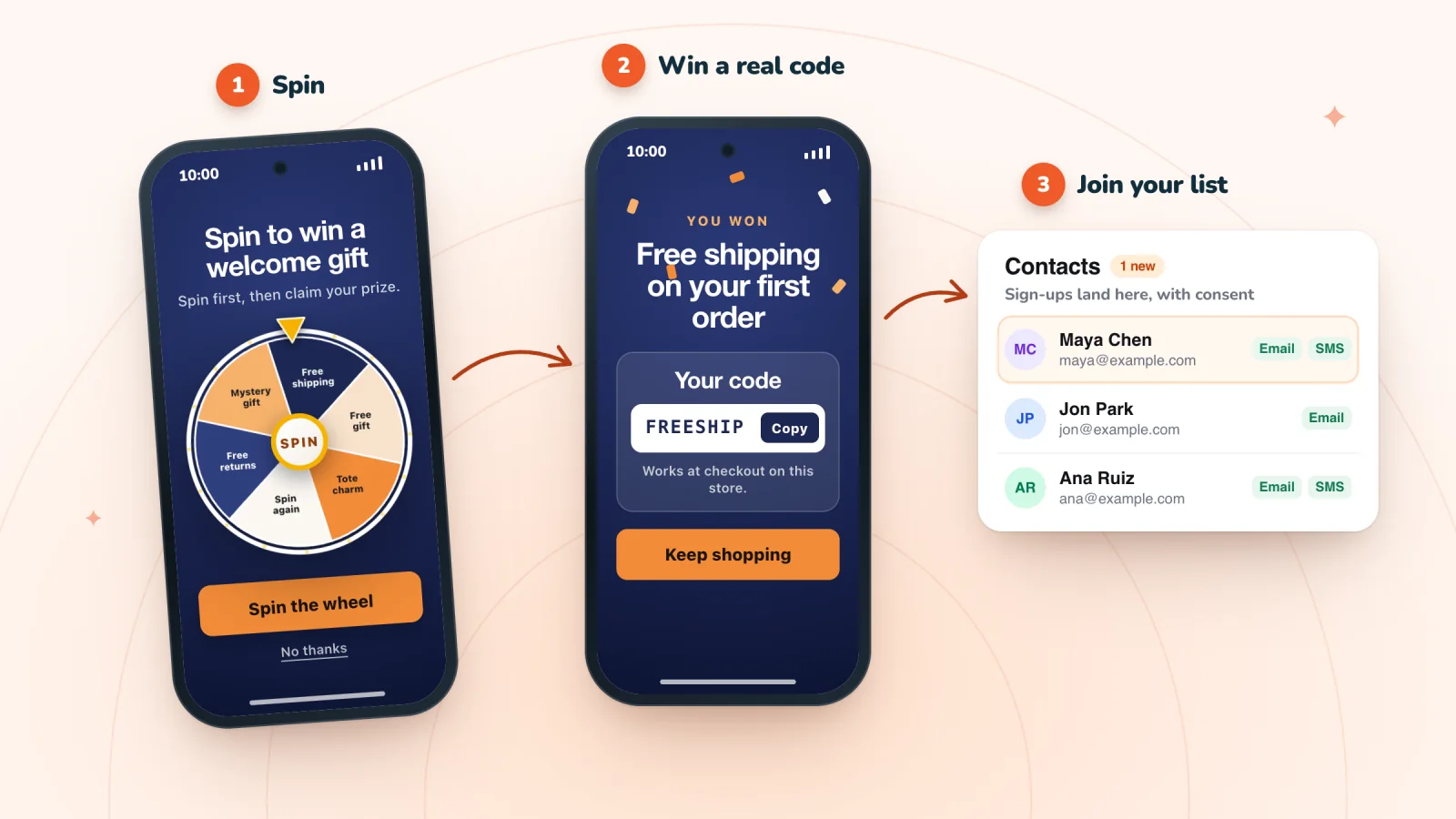
- Play first is the default. The shopper plays, sees the prize, then enters an email address to claim it. Turn off Let them play first if you'd rather ask for the email before the game.
- Motion settings are respected. For shoppers whose phone or computer asks for reduced motion, the confetti, glow and screen transitions are turned off. The wheel itself still turns.
- Switching keeps your work. Change Game mode and your prizes and their chances carry over. If your headline still mentions the old game, such as "Spin to win" on a scratch card, the editor flags it with "Your copy still describes the old game" and offers to fix it.
Put a spin-to-win pop-up on your store
AI designs it from your brand, every spin wins one of your store's own codes, and every sign-up is saved with consent. Free forever.
How many prizes does each game need?
A wheel needs at least two different prizes to go live in Spin Wheel and earns its place with a spread of three or more, while a scratch card or gift box looks complete with a single prize. A wheel's appeal is the range on show: a cheap everyday prize, a mid prize or two, one rare headline prize. A scratch card and a gift box only ever show the prize that was won, so they suit one prize or a small set with different chances. Whichever you pick, price the mix first with these spin wheel prize ideas and costs; the same arithmetic applies to all three games.
Signs it's time to switch games
- You're down to one coupon. Move to a scratch card or gift box until you add another prize.
- Shoppers start and don't finish. If people often close the pop-up before the prize appears, a quicker game may suit them better.
- A new season is coming. A different game makes the pop-up feel new to returning visitors without new prizes. For dates and seasonal prizes, see these Black Friday and holiday pop-up ideas.
Frequently asked questions
Which is better, a spin wheel or a scratch card?
Neither is better for every store. A spin wheel suits stores with a spread of prizes worth showing off, because it displays the whole range before anyone plays. A scratch card suits a single headline offer and stores that want less motion on screen. If you're unsure, start with a gift box: it's the quickest of the three to finish.
How does a scratch card pop-up work?
A card covered in foil appears, and the shopper rubs it away with a finger or the mouse to reveal one prize. In Spin Wheel, the prize under the foil is decided before the shopper starts scratching, and by default they enter an email address to claim the code once it shows. You can switch it to ask for the email first.
How does a mystery gift box pop-up work?
The shopper sees two to five closed boxes, picks one, and it opens to show a prize. The prize comes from the chances you set, so the box they pick doesn't change the outcome, and a shopper who opens a box gets one of your real prizes. In Spin Wheel the boxes can be gift boxes, treasure chests, balloons or envelopes.
Can I switch games without redoing my prizes?
Yes. In Spin Wheel, changing the game keeps your prizes and their chances. Check the headline afterwards, since copy written for one game ("Spin to win") reads oddly on another, and the editor points out when that happens.
Try it on your store
All three games share one prize list in Spin Wheel, so you can try each on your own site and keep the one your shoppers finish. Compare the scratch card pop-up that reveals a store coupon and the pick-a-gift-box pop-up.

Sources
- Wix Apps Request: Gamified Promos, Wix Help Center

We build marketing apps for online stores: myuser.ai writes and sends emails and texts from a store's own products, and we make Spin Wheel and Session Recordings, free apps for online stores. Product details in our guides are checked against the apps themselves.