 Spin Wheel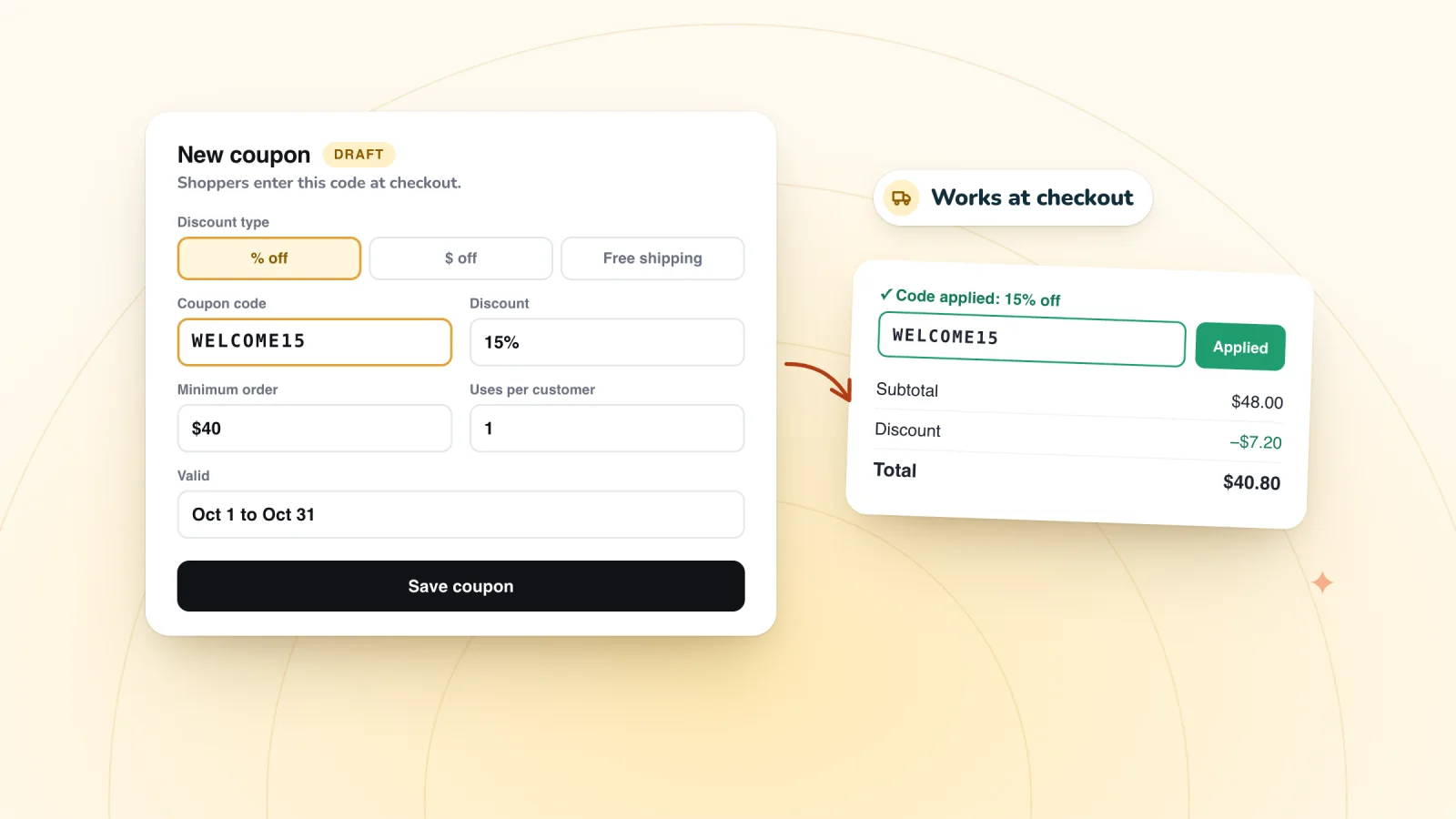
On this page
- Where coupons live in your dashboard
- The coupon types Wix offers
- How to create a coupon
- Settings worth getting right
- Make a free shipping coupon
- How shoppers apply a code
- Test a code before you promote it
- Mistakes that cost stores money
- How a pop-up hands out codes
- Frequently asked questions
- Try it on your store
- Sources
A coupon code is the simplest way to run a discount on a Wix store. You create the coupon once in your dashboard, and shoppers enter the code in the cart or at checkout. Here's how to set one up, test it and avoid the common mistakes, plus how a pop-up can hand out codes for you.
Key takeaways
- Coupons live under Coupons in your Wix dashboard, and Wix Stores offers five types: $ Discount, % Discount, Free shipping, Sale price and Buy X get Y free.
- Give promotional codes an end date, a use limit and, for dollar-off codes, a minimum order subtotal, so a code can't outlive the offer.
- Shoppers can apply one coupon per order, and codes aren't case sensitive, but an extra space makes a code fail, so encourage copy and paste.
- Test every code in your own cart before you promote it, and give any code you hand out in a pop-up an end date and a one-use-per-customer limit.
Where coupons live in your dashboard
Wix's help pages say to go to Coupons in your site's dashboard. Wix has regrouped its dashboard menu over time, so if you don't spot Coupons in the sidebar, type it into the search bar at the top of the dashboard. In the Wix app on your phone, coupons sit under Marketing.
The coupon types Wix offers
Wix Stores has five coupon types, and you pick one each time you click + New Coupon.
| Type | What it does | Example |
|---|---|---|
| $ Discount | Takes a fixed amount off | $10 off |
| % Discount | Takes a percentage off | 20% off |
| Free shipping | Removes the shipping charge | Free shipping over $50 |
| Sale price | Sells items at a set price | T-shirts for $12 |
| Buy X get Y free | Adds free items to a purchase | Buy 2, get 1 free |
Wix also has automatic discounts, which need no code. Wix says a shopper can get a coupon and an automatic discount on one order.
How to create a coupon
These steps follow Wix's help center for a % Discount coupon. Other types work much the same way.
- Go to Coupons in your dashboard and click + New Coupon.
- Select % Discount.
- Enter the Coupon code shoppers will type, such as
SPRING20. For random codes, try our free coupon code generator. - Enter a Coupon name. Customers never see it, so make it easy to recognize later.
- Enter the percentage.
- Choose what the coupon covers from the Apply to drop-down.
- Choose whether the discount applies once per order or to each eligible item.
- Set the dates and any limits, then click Create Coupon.
Settings worth getting right
- Apply to. A coupon can cover all products, a specific product, a specific category or a minimum order subtotal. Categories used to be called collections. To discount a group of products, Wix suggests a hidden category holding just those products.
- Once per order or each item. Apply once per order discounts only the lowest-priced eligible item, while Apply to each eligible item in the order discounts them all. This choice isn't offered with a minimum order subtotal.
- Minimum order subtotal. The code works only above the subtotal you set. It's offered for $ Discount, % Discount and Free shipping coupons, in the same Apply to menu as products and categories, so a coupon uses one or the other.
- Dates. Each coupon has a start date, and you can set an end date or tick Don't set an end date. Wix notes that a coupon expires at the time of day it was created, so one made at 7:40 PM stops working at 7:40 PM on its end date, in your time zone.
- Limits. Limit the total number of uses for this coupon caps redemptions, counting repeat purchases by one customer separately. Limit to one use per customer lets each customer use it once.
Make a free shipping coupon
Free shipping coupons work only with Wix Stores, Wix's help center notes.
- In Coupons, click + New Coupon and select Free shipping.
- Enter the coupon code and coupon name.
- Under Apply to, choose All orders, or Minimum order subtotal with an amount.
- Set the dates and any limits, then click Create Coupon.
To give every order over an amount free shipping with no code at all, use your shipping rules instead, as the guide to offering free shipping over a set amount explains.
Hand out codes that work at checkout
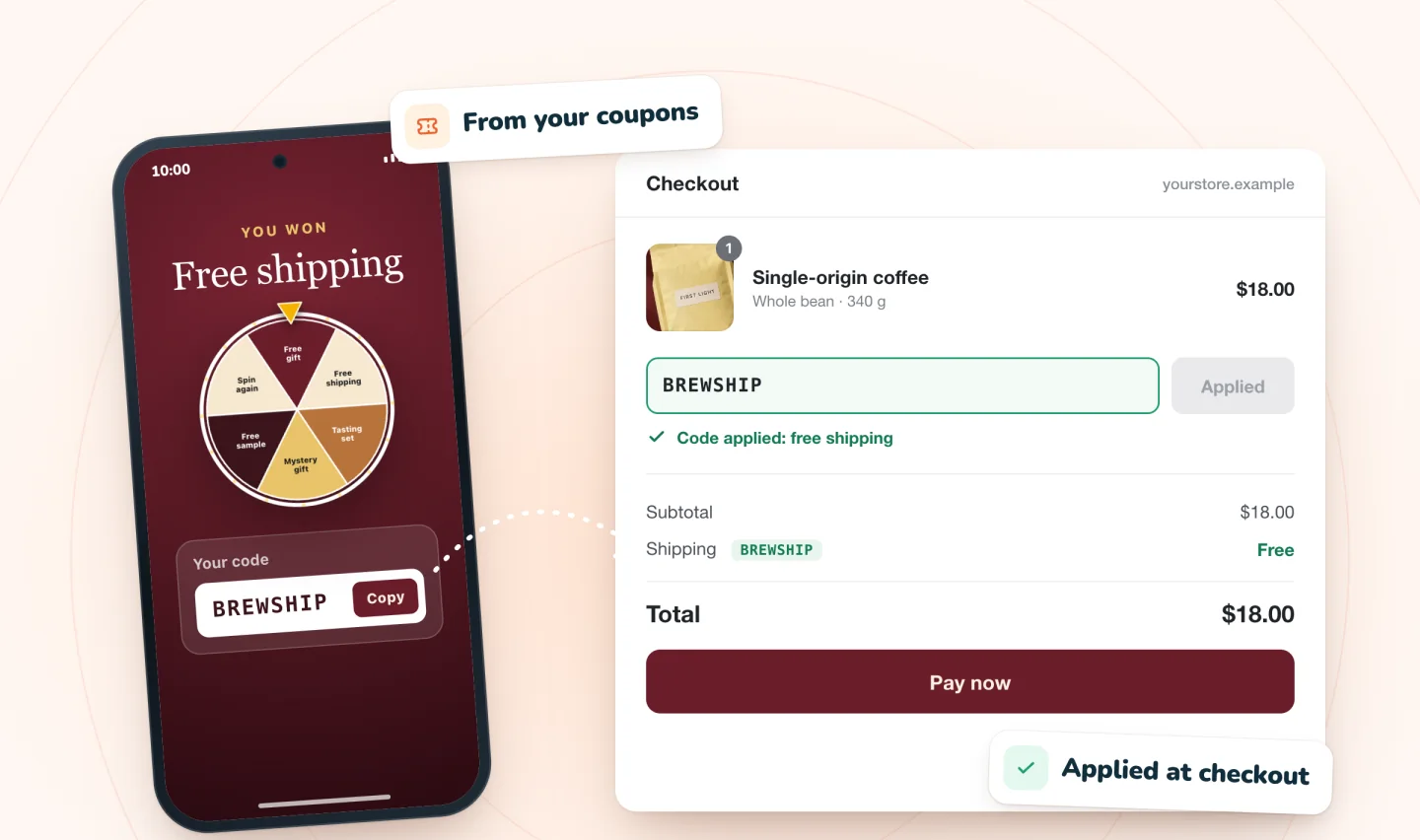
Every prize is one of your store's coupons, shown to the winner with a Copy button and emailed as a backup.
Add to Wix, it's free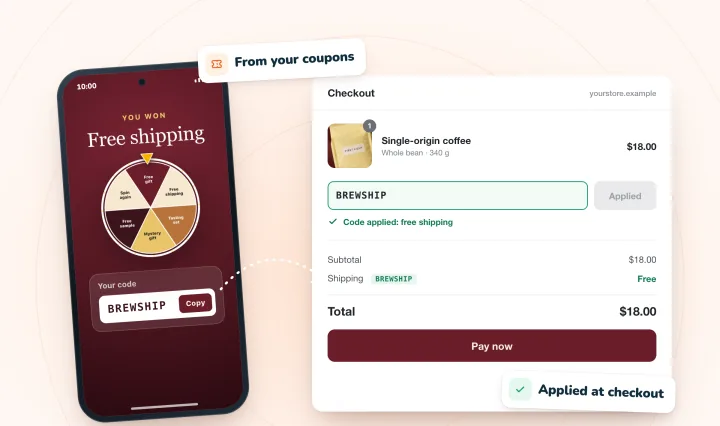
How shoppers apply a code
Shoppers enter codes on the Cart page, in the Side Cart or on the Checkout page. A few rules shape what they can do:
- One coupon per order. Wix's help center says customers can't currently apply more than one coupon at a time.
- Case doesn't matter.
SPRING20andspring20both work. - Spaces do. An extra space makes a code invalid, so a copied code is safer than a retyped one.
If shoppers can't find the "Enter a promo code" link, check that it's switched on in your Cart page and Side Cart settings, and that its color stands out from the background.
Test a code before you promote it
A code that fails at checkout can cost you the sale, so try it on your live site before you share it:
- Add a product the code should cover to your cart, enter the code and check the discount.
- If the coupon has a minimum order, try a cart just under it. The code shouldn't apply.
- If the coupon covers certain products or a category, try a product outside it.
You don't need to finish the purchase. For a full test order, Wix's help center explains how to check out with the manual payment method so you aren't charged, though it takes a few setup steps.
Mistakes that cost stores money
- Codes that never expire. Don't set an end date suits a code printed on packaging, but on a promotion it keeps the code working long after the offer ends.
- No minimum on a dollar-off code. Wix's own example: a $10 coupon applied to an $8 product makes that item free, though shipping still applies. A minimum order subtotal above the discount prevents it.
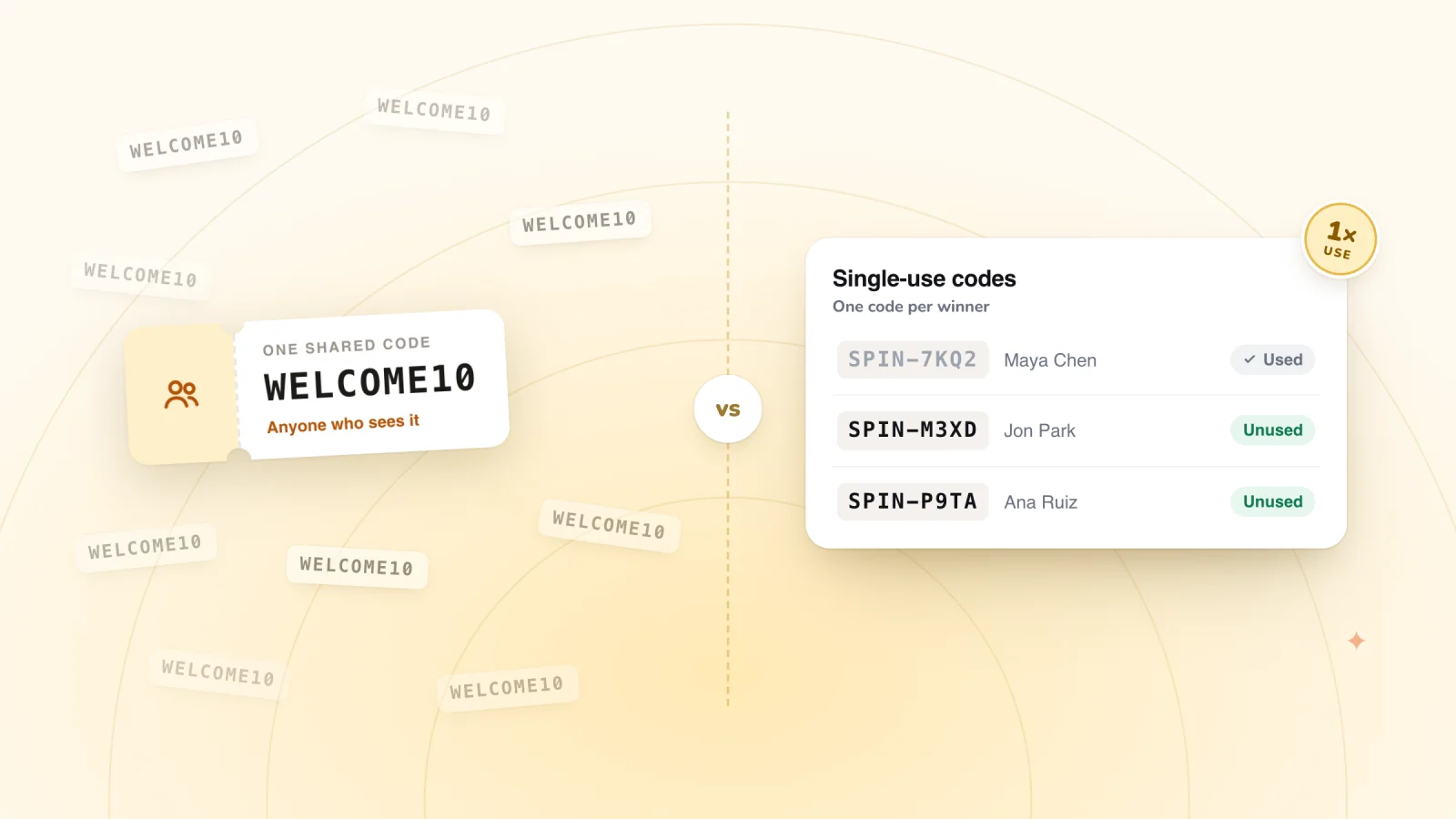
- One code shared everywhere. A code in your pop-up, emails and social posts can end up on coupon sites, where anyone can use it. The guide to unique coupon codes explains the alternatives, and Wix's Bulk Coupon Creator app can copy one coupon into up to 1,000 coupons with unique codes.
- An amount picked by feel. Work out what a discount costs on a typical order. A discount break-even calculator shows how many extra orders an offer needs to pay for itself.
How a pop-up hands out codes
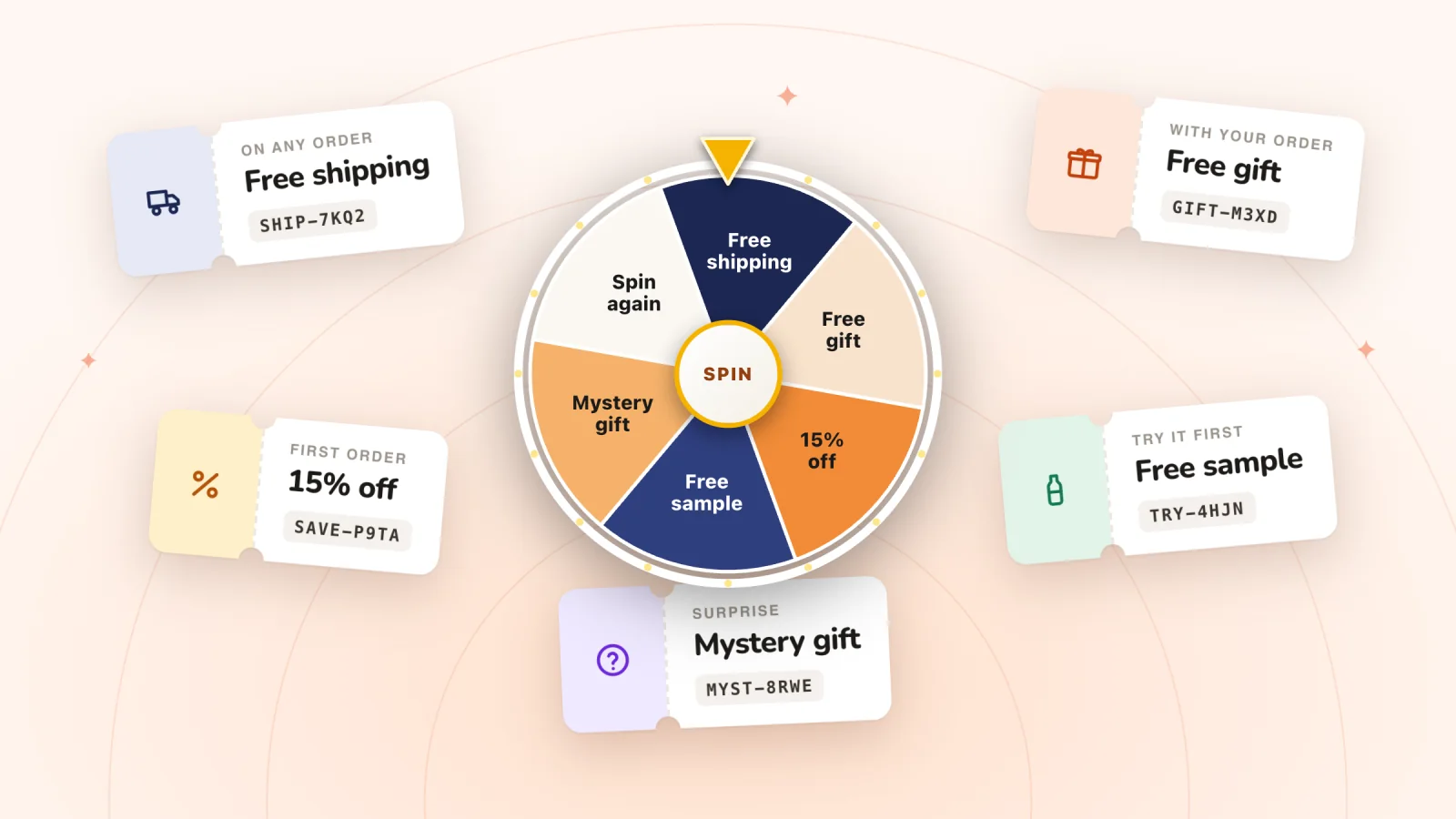
The simplest pop-up prints one code for every visitor to see. Spin Wheel ties each prize to one of your store's coupons instead. For each prize on a spin-to-win wheel, scratch card or gift box, you choose a coupon, and a shopper sees its code only after winning that prize. Because the code is your coupon, it works at your normal checkout and follows the rules you set on it, so give prize coupons an end date and tick Limit to one use per customer.
The code appears in the pop-up with a Copy button, which keeps stray spaces out, and the winner is emailed a copy as a backup. Every play wins one of your prizes, drawn on our servers from the odds you set. These spin wheel prize ideas help you choose which coupons to offer.
Spin Wheel doesn't send marketing emails, so for a welcome email from your own tools, these welcome emails that deliver a code show how to put it up front.
Frequently asked questions
Where are coupons in the Wix dashboard?
Go to Coupons in your site's dashboard and click + New Coupon. Wix has regrouped its dashboard menu over time, so if you can't find it, type Coupons into the search bar at the top. In the Wix app, tap Manage, scroll down to Marketing and tap Coupons.
Can customers use more than one coupon code on an order?
No. Wix's help center says customers can't currently apply more than one coupon at a time, though a coupon can still combine with an automatic discount. To offer free shipping alongside a code, Wix suggests a shipping rule with free shipping above a set amount, used together with a coupon.
Are Wix coupon codes case sensitive?
No. Wix says codes aren't case sensitive, so SPRING20 and spring20 work the same. Spaces are another matter. Wix's troubleshooting guide says an extra space makes a code invalid, so ask shoppers to copy and paste codes exactly as written. A Copy button next to the code makes that easy.
How do I make a Wix coupon expire?
Set an end date when you create the coupon, or edit the coupon later to change it. The coupon then expires at the time of day it was created, Wix notes. To stop a code early, click the More Actions icon next to it in Coupons and deactivate it. You can reactivate it later.
Try it on your store
Spin Wheel turns the coupons you create into prizes for spin-to-win, scratch-card and gift-box pop-ups, and every play wins one of them. It needs Wix Stores, and the Free plan includes one live pop-up and 200 sign-ups a month. See how it hands out codes on the coupon pop-up page.
Sources
- Wix Stores: Offering Discounts and Coupons
- Creating a Percentage Discount Coupon
- Creating a Free Shipping Coupon
- Limiting Coupon Usage
- Troubleshooting: Customers are Unable to Apply Coupon
- Request: Applying Multiple Coupons
- Adding and Setting Up the Bulk Coupon Creator App

We build marketing apps for online stores: myuser.ai writes and sends emails and texts from a store's own products, and we make Spin Wheel and Session Recordings for Wix sites. Product details in our guides are checked against the apps themselves.